Platform updates: Plan the floor, run the stations, and tournaments arrive
Coaches can plan a session down to the court and run it from one screen, events are easier to read, and tournaments arrive in early access.
On your phone, close Spike fully and open it again. That downloads the update. Everything below arrives with it.
Plan the gym floor
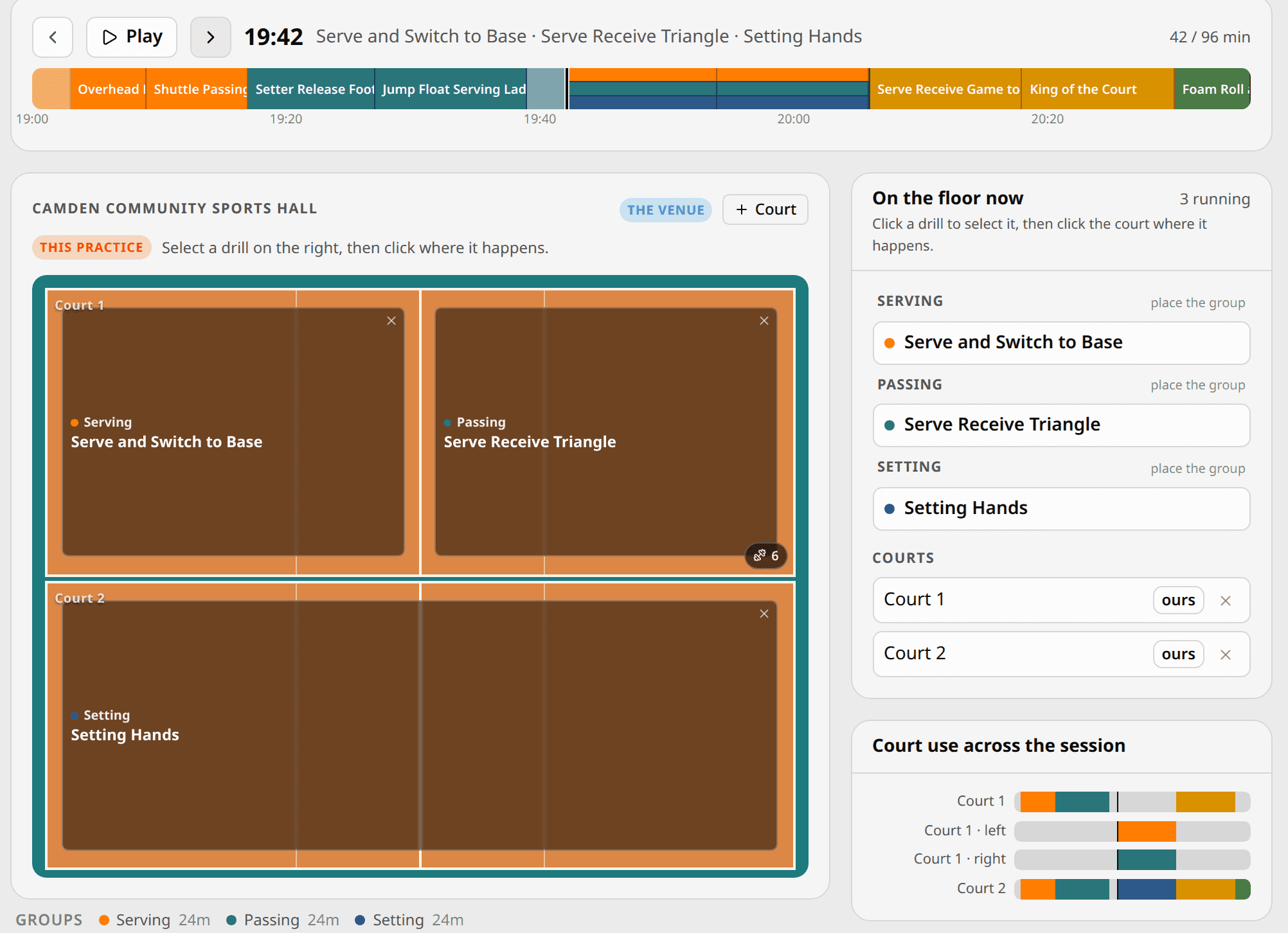
A training plan now records where everything happens, not just when. Open the floor plan, drag a drill onto a court, and split the court into the shape the drill needs: a half, a third, one corner. The floor shows one region per drill, with the kit it needs listed underneath. Setting up the hall means reading a list, not rebuilding the session in your head.
Scrub through the session and the floor follows. A stations block splits into its groups, so you can see where every group stands at every minute. When the session starts, the running view opens the floor at the minute you are in.
Drills get dials
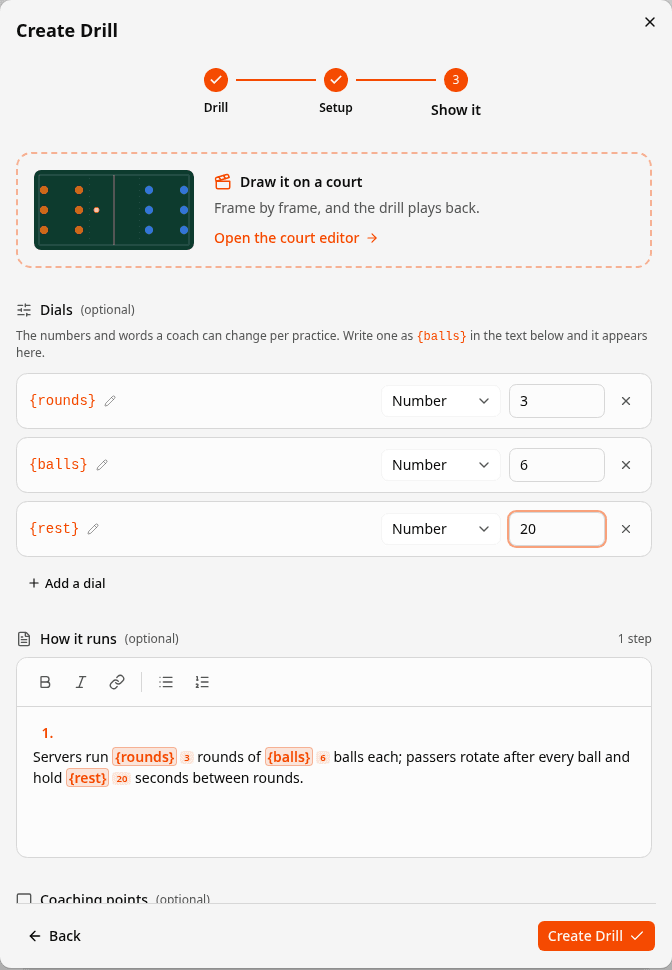
Write {rounds} or {balls} into a drill’s instructions and it becomes a dial: a setting the drill carries everywhere it goes. Each plan answers the dials for its own session, so the same drill reads “2 rounds of 4 balls” on Tuesday and “3 rounds of 6” on Thursday. The values show on the web, on the phone, and on each station group’s card while the session runs.
Every station group runs its own clock
When you run a session with stations on the phone, each group now gets its own card: the drill it is on, its own countdown, and its own Next button. One coach can pace every court from one screen, and the lead coach decides who runs each group.
A stocked library, and your club's drills imported
The public library now holds 56 ready-made drills and 10 complete session plans, from warm-ups to cool-downs, covering every skill. Load any of them into your own sessions and adjust them as you like.
If your club keeps its drills in a spreadsheet, import it. Match the columns once, adjust any row before it lands, and a bad cell fails only its own row, not the whole file.
Tournaments, in early access
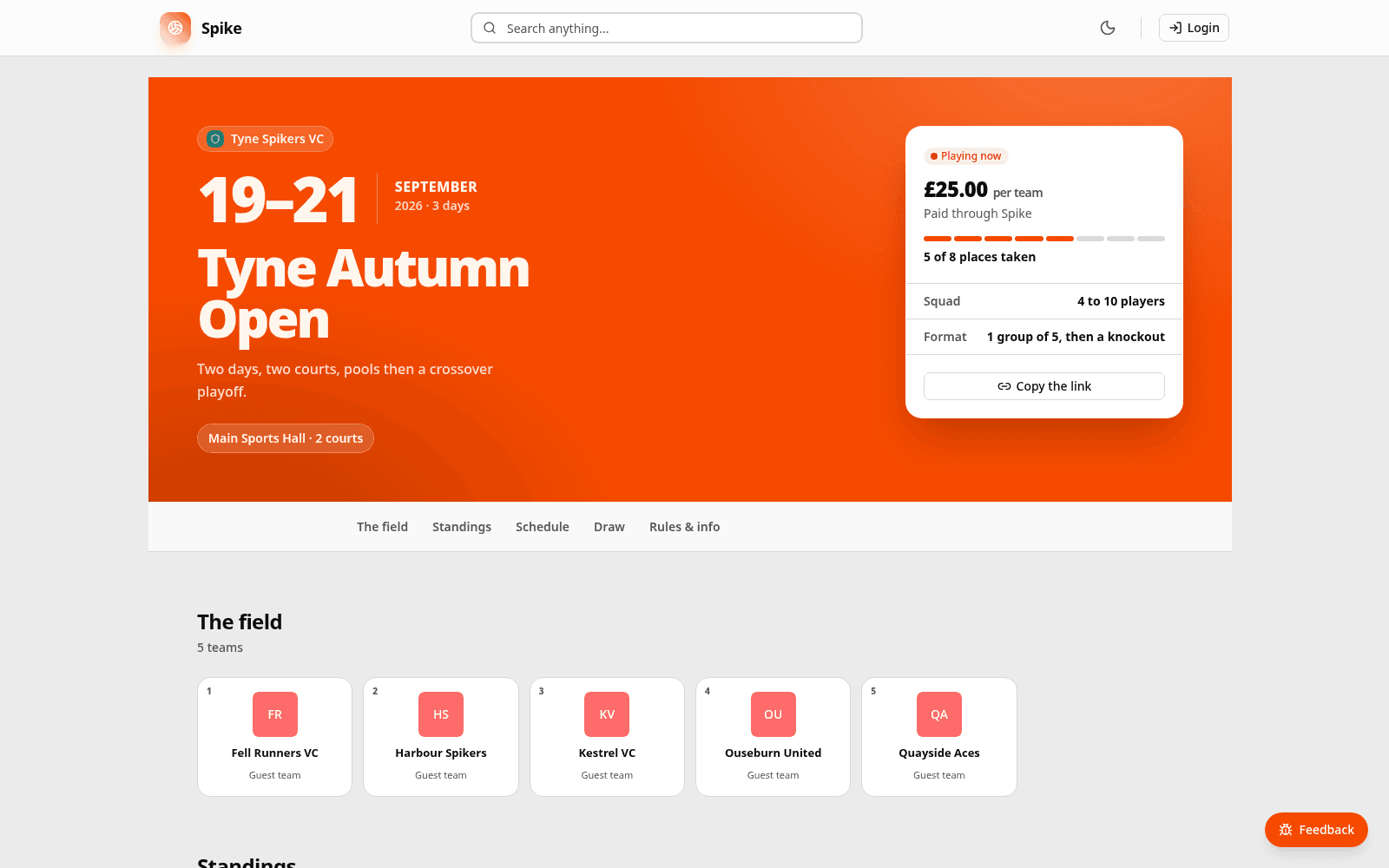
Organisers can build a tournament end to end: venues, courts and days, then entry by team, by club, by email or by a shareable link. Squads without a Spike account can enter and withdraw through their invitation link and get results by email. Group stages feed the brackets, a scheduler fills the timetable, and standings update as results come in.
Every tournament gets a public page at a readable address, with the poster, the draw and a live ticker. New tournaments go public after a quick check from us. Create one and we will take a look.
Events are easier to read
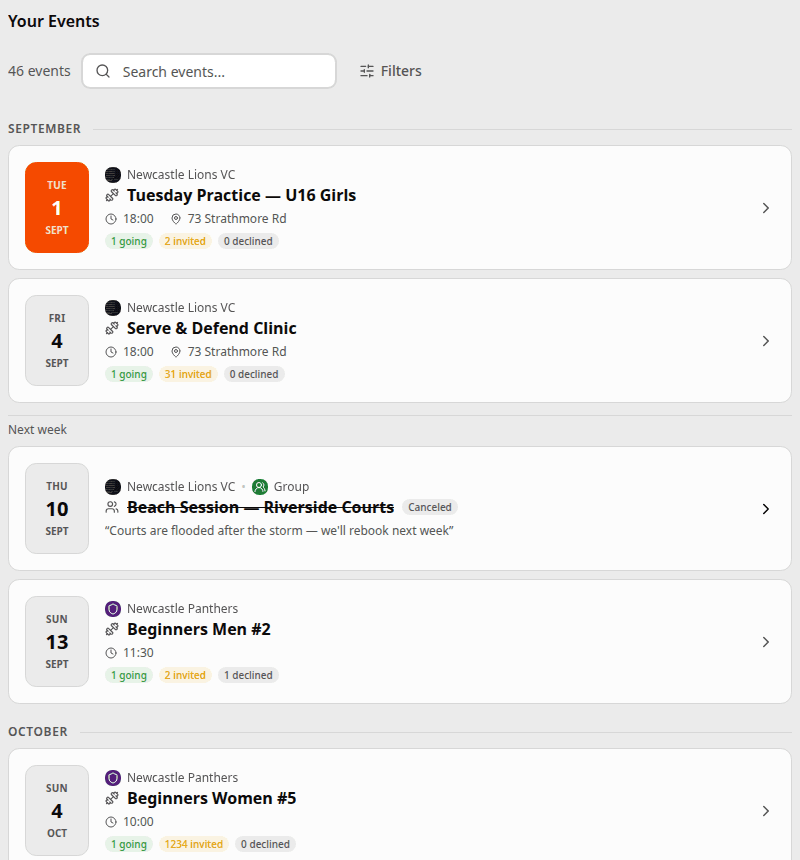
The events list now reads at a glance. The date comes first, written day first, then whose event it is and how it is filling up, grouped by week. Cancelling an event asks why, and everyone sees the reason. Cancelled by mistake? Restore it from the Danger Zone, with everyone’s responses intact.
The people running a session can now manage it. Creating an event for a team or group makes its coaches, assistants and helpers hosts automatically. Joining a club or team shows you its upcoming events straight away.
Roles say what they allow
Club settings have a new Permissions panel. See exactly what a role allows before you hand it out, and give one person one extra permission instead of inventing a role for them. Rosters now separate players from staff, and member counts count players only, so a helper is staff, not an extra player.
Chat on the phone
- Drag a message aside to reply to it.
- Tap a message and its menu opens where you touched. Hold to select.
- Group chats without a picture get their own colour.
Fixed
- A dead password-reset link now says so and offers a new one, instead of claiming the password was reset when nothing happened.
- Editing a paid session no longer crashes on iPhone.
- A club can price a session to cover Spike’s fee, so the club nets what it asked for.
- The web notification bell now counts what you have never seen, and rows stay highlighted until you open them, the way the app already worked.
- Messaging someone again after leaving the old conversation reopens it instead of starting a duplicate.
- Everyone on an event hears about new comments on it, not just the first commenter.
- Dates read day first everywhere.