Volleyball event scheduling that fills the court
Training sessions, matches, socials and drop-in games — each with the things that kind of event actually needs, and all of them with capacity, a waitlist, attendance and fees. Free forever, on the web and in the app.
Create an event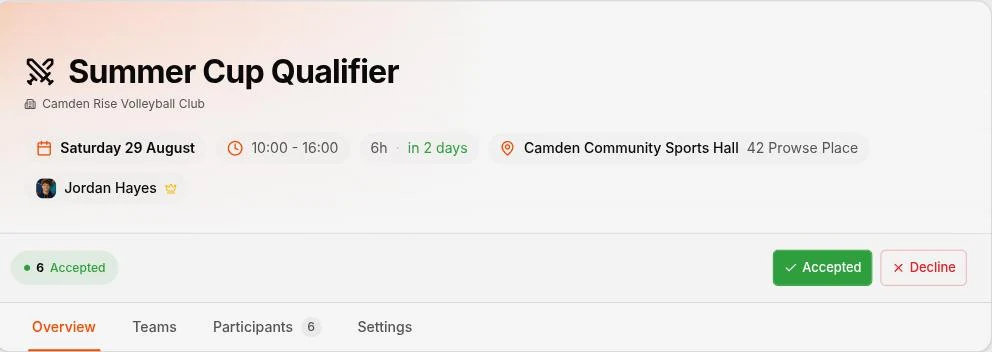
“Who’s in for Tuesday?” is the whole job
A volleyball session needs six on court per side and enough on the bench to rotate. Under that, you are playing four-a-side. Over it, half the club stands watching. The entire difficulty of running a club is landing on that number every week, using a group chat where the reply “maybe” is both the most common answer and the least useful one.
So the organiser counts thumbs-up emoji, remembers who said yes in person, and books the court hoping. Spike replaces the counting with a roster that is always current, and a set of rules — capacity, a deadline, a waitlist — that do the chasing instead of you.
Four kinds of event, because they are not the same job
A training session and a fixture against another club have almost nothing in common beyond a date and a venue. Spike asks which one you are running first, and the rest of the form changes accordingly.
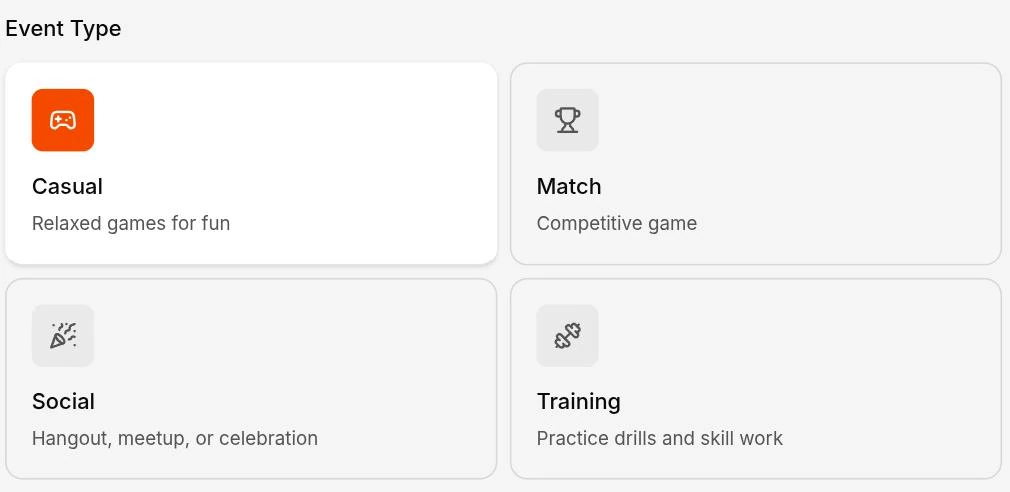
Training
Attach a session plan built from your drills library, so players see what practice holds before they turn up. On the night a coach or assistant opens the plan on their phone and runs it — advancing through the blocks, pausing when something overruns.
Match
Two sides. Invite one of your own teams or another club's, and they accept or decline as a team, so you know whether the fixture is on. Then name the officials — referee, second referee, scorer and two line judges — and Spike will not let the same person be given two of them.
Social
The end-of-season meal, the quiz night, the trip to watch a match. No court, no line-up — just a place, a time, and a list of who is coming, which is the part a group chat is worst at.
Casual
The drop-in game. Give each side a captain and let them sort their own team out, or build it as teams with real positions so players take setter, middle or libero themselves. Either way the line-up settles before anyone arrives.
Every event, whichever kind
The type decides what is special. Everything below is true of all four.
A venue, including your club’s own courts
Set a location on any event, and save the halls you use often as club venues so the address, the directions and the “lift on the right” note come along automatically next time.
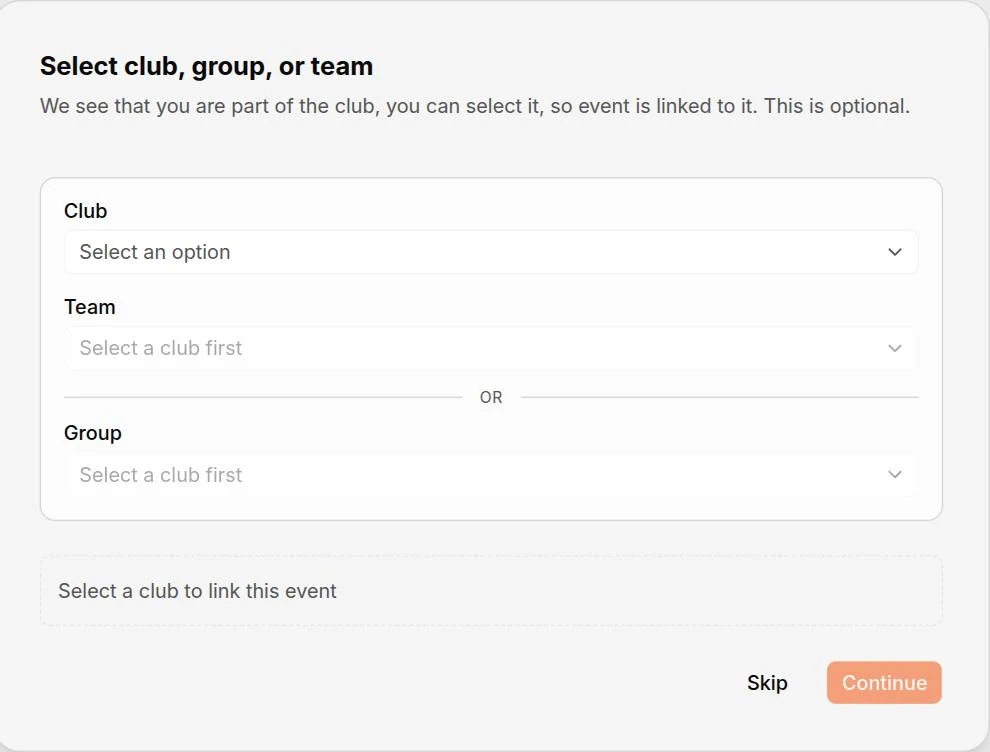
Attached to a club, a team or a group — or to nobody
An event belongs to a context, and that context decides who sees it. Attach it to a team and only that team sees it; attach it to a group and only that group does. Leave it unattached and it is yours alone, or make it public so players outside the club can find it.
Capacity, a deadline, and a waitlist
Set how many the court holds and when sign-up closes. Once it fills, the next person joins the waitlist rather than being turned away — and when someone drops out, their spot goes to whoever is first in line, automatically, and they are told they are in. If payment is required up front, the spot is held for up to 24 hours while they pay, then moves to the next in line. You can open registration on a date rather than immediately, which stops the same four people taking every spot within a minute.
A fee, if you want one
Card or cash, priced per player, per team, or once for the whole event. Require payment before a spot is confirmed and the roster becomes a list of people who have actually committed. More on payments.
Run once, or every week
A recurring session is one series, not fifty-two events. Edit a single occurrence when the venue moves, or push a change across the whole run. Each keeps its own roster, payments and attendance.
Marking people off as they arrive
Accepting an invitation and turning up are different things. On the night you mark people as attended or as a no-show, which takes a few seconds at the door and is the only way the record means anything afterwards.
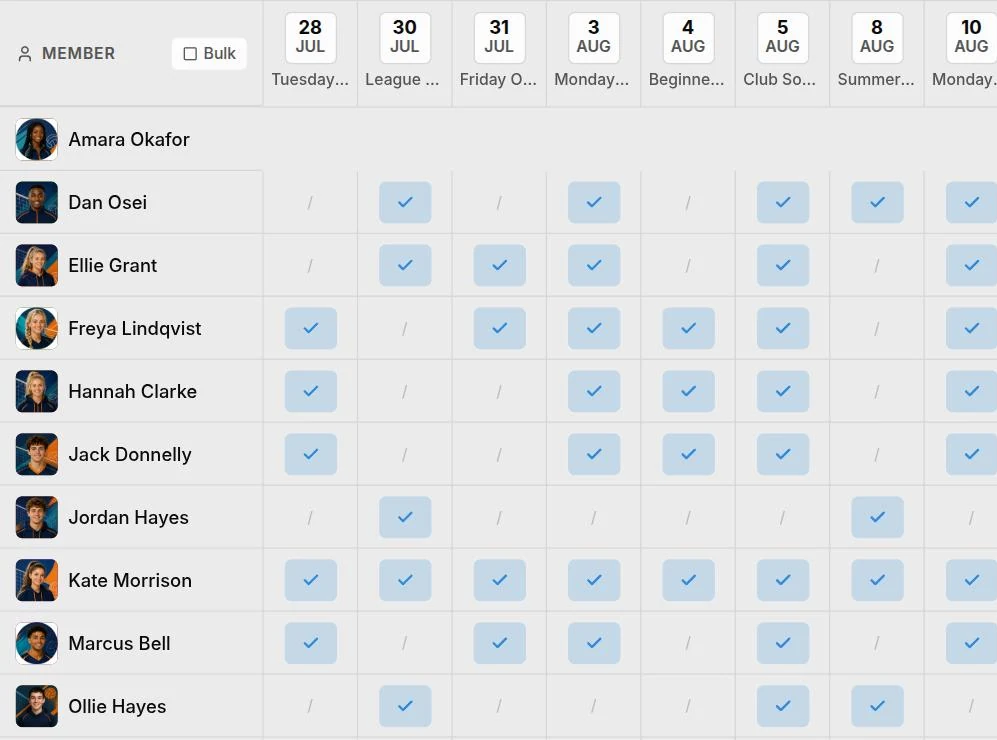
What it buys you is the view above: every member against every session, at a glance. Anyone on a run of declines is flagged, and that flag is the useful part — a player quietly drifting out of the club is invisible in a group chat and obvious here, while there is still time to ask them why.
How the line-up gets decided
Most clubs running a training session or a fixture set the sides themselves. For a drop-in game where nobody has, an event can hand that job to the players: build it as teams with real volleyball positions and they claim setter, middle or libero themselves, live, so two people cannot take the same slot.
- Teams with positions — Real volleyball positions — players claim setter, outside or libero and the roster updates live for everyone
- Open teams — Teams with generic player slots, when the line-up is decided on the night
- A list — No teams at all — a social, a workshop, anything where everyone just turns up
Coming to events
Some of what belongs on an event is not there yet. These are the pieces we are working towards, and each says plainly where it actually stands.
Who it’s for
Weekly training sessions
The same session, the same court, every week. Set it up once as a series, attach the plan, and stop rewriting the message each Sunday.
Clubs that play fixtures
Invite another club's team, assign who is running it, and have both sides know the fixture is confirmed without a phone call.
Clubs paying for court time
A court booked for twelve with seven confirmed is money gone. Capacity, deadlines and a waitlist mean you know the number before you owe it.
Common questions
What kinds of event can I create?
Four: a training session, a match, a social, or casual play. They are not just labels — the type decides what the event can do. A training session takes a session plan. A match has two sides, so you invite another club's team and assign the people running it. A social is for anything off the court. Casual play is the drop-in game where people sort themselves out on the night.
How do training sessions work?
Set the session up like any other event, then attach a training plan built from your drills library. Players see what practice holds before they arrive, and on the night a coach or assistant coach opens the plan on their phone and runs it — advancing through the blocks, pausing when something overruns, and finishing with a record of what the session actually was.
Can we play another club?
Yes. A match has a home side and an away side, and the away side can be one of your own teams or another club's — they are invited and accept or decline as a team, so you know whether the fixture is on. You also name the officials for the game: referee, second referee, scorer and two line judges. They can be club members or just a name, and Spike flags it if you give one person two roles.
Who can see an event?
You choose. An event can be attached to a club, to a team, or to a group, and then only the members of that club, team or group see it. Leave it unattached and it is yours; make it public and anyone can find it, which is how new players discover a club in the first place.
How do we track who actually turned up?
Mark people off as they arrive — attended, or no-show. Over time the attendance view shows every member against every session and flags anyone on a run of declines, so a player quietly drifting out of the club is visible while there is still time to ask them why.
Do players pick their own positions?
They can, if you want that. An event can be built as teams with real volleyball positions, so players claim setter, middle or libero for themselves and the roster updates live. It suits a casual or drop-in session where the line-up is not decided in advance. Most clubs running training or a match set the sides themselves, and an event can equally be open teams or a plain list of attendees.
Can I charge for a session?
Yes, on any event type. Attach a fee paid by card or tracked as cash, priced per player, per team, or as one charge for the whole event. You can require payment before a spot is confirmed, set a cut-off after which dropping out no longer frees the place, and have reminders sent a chosen number of days before.
Do I have to recreate a weekly session every week?
No. Create it once as a series and every occurrence is generated for you. Edit one occurrence on its own when a venue changes, or push a change across the whole run — each keeps its own roster, payments and attendance record.
The rest of the club, too
Put next Tuesday up properly
Pick the kind of session, set the venue and the capacity, and let the roster fill itself. There is nothing to pay and nothing to cancel.
Create an event