Platform updates: Club pages, waiting lists and a trophy cabinet
Clubs get a public page that newcomers can join from without an account. Full sessions keep a waiting list, one event can be for several teams and groups, and every medal, cup and pin you win stands in a 3D trophy cabinet on your profile. The phone app gets a dark mode too.
On your phone, close Spike fully and open it again. That downloads the update. If you have an older version of the app, the update comes with version 1.2.3, which is on its way to the App Store and Google Play.
Your club gets its own page
Your club can now publish its own page on Spike, with this week’s sessions, where you play, your teams and a Join button. Anyone with the link can open it. Admins design it in Club settings, preview how it looks on a desktop and a phone, and publish it when it’s ready. Each city with clubs on Spike gets a page of its own.
Mark a session as open to newcomers, and for which levels. The page then says New players welcome and names the next session a newcomer can come to. Anyone with a link to one of your public sessions sees when and where it is, what it costs and how many places are left. Rather not say where you play? Outsiders then see only the town.
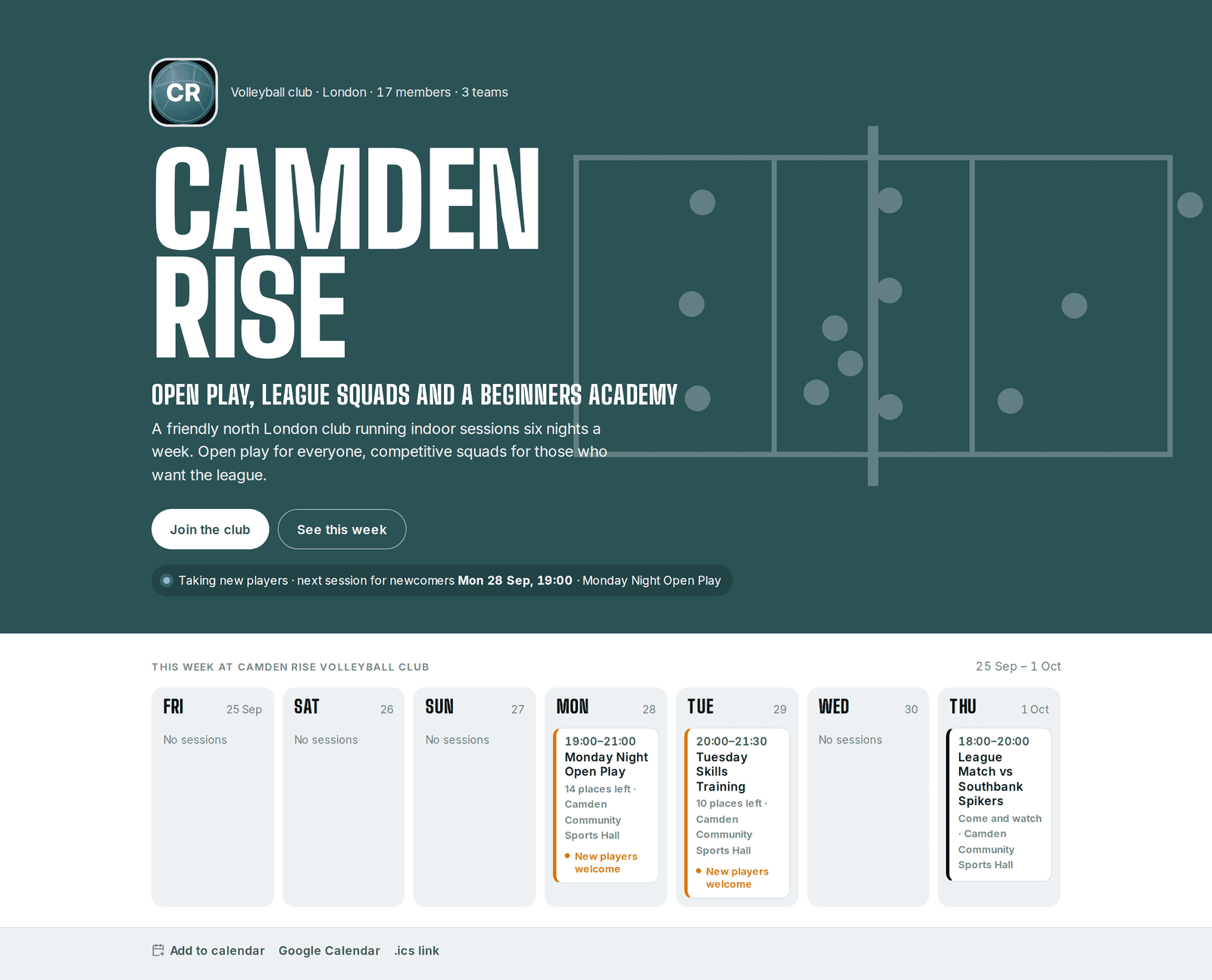
Share the page as a link, a QR code to print or a picture card. Or put its join button, your upcoming sessions and your registration form on your own website.
Newcomers join without an account
A newcomer fills in your club’s form on its join page or on your own website, confirms their email with a code, and hears back from the club. Parents can register their children the same way.
Admins build the form: the person’s details, an emergency contact, consents in the club’s own words, and questions that appear only after certain answers. Choose who can register and which groups they pick from. Edits wait as a draft until you publish them, the form runs on any website you approve under Registration › Websites, and everyone who registers gets an email saying it arrived.
Bring your member list
Import your members from a spreadsheet, people without an email address included. Spike shows what will happen to each row before anything changes, including who is already on Spike. Adults claim their place with a code from the club, and anyone who hasn’t yet shows as Not claimed, with a new code a click away.
Full sessions keep a waiting list
When a session is full, joining or accepting puts you on its waiting list and tells you your place. As places free up, people are let in, in order, and told. On a paid session the place is held for a day while they pay, and the event page says by when. Organisers see the queue in order.
One event for several teams and groups
Pick several of a club’s teams and groups for an event or a series, and everyone in them is invited, each person once. The event shows the club and a count, such as “2 teams, 3 groups”, and a tap lists them all. You can change them later, and Spike shows who will be invited before you save.
The coaches and staff of an event’s teams and groups are now asked to host it, in the role they hold there. They accept or decline from the event page or Needs you, and organisers see each answer in the Participants tab.
Also for sessions
- Set a meet-up time: how long before the start people should arrive. Everyone sees it next to the start time, on every date of a repeating event.
- Clubs can require a note when someone declines, and say why in their own words. Club and team staff can read every note.
- Restore a cancelled event from its menu, on the phone as well as the web. Everyone who was told it was cancelled hears it’s back on.
- Add a session to your calendar, or subscribe to a feed for a club or for yourself that stays up to date.
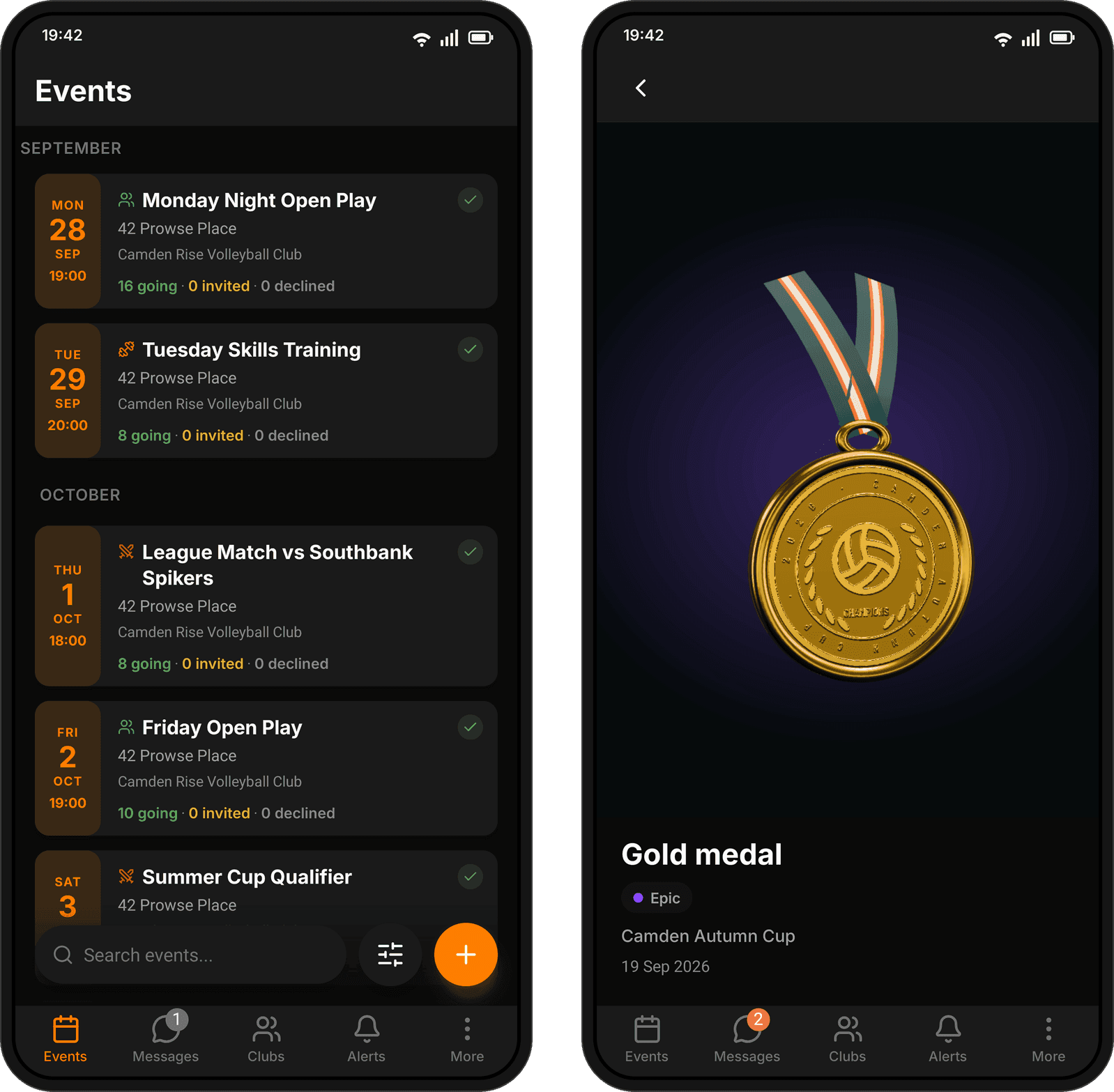
- On the phone, event cards lead with the day, date and time, show the type of event in its own colour, and put who’s going, invited or declined on one line.
A trophy cabinet on your profile
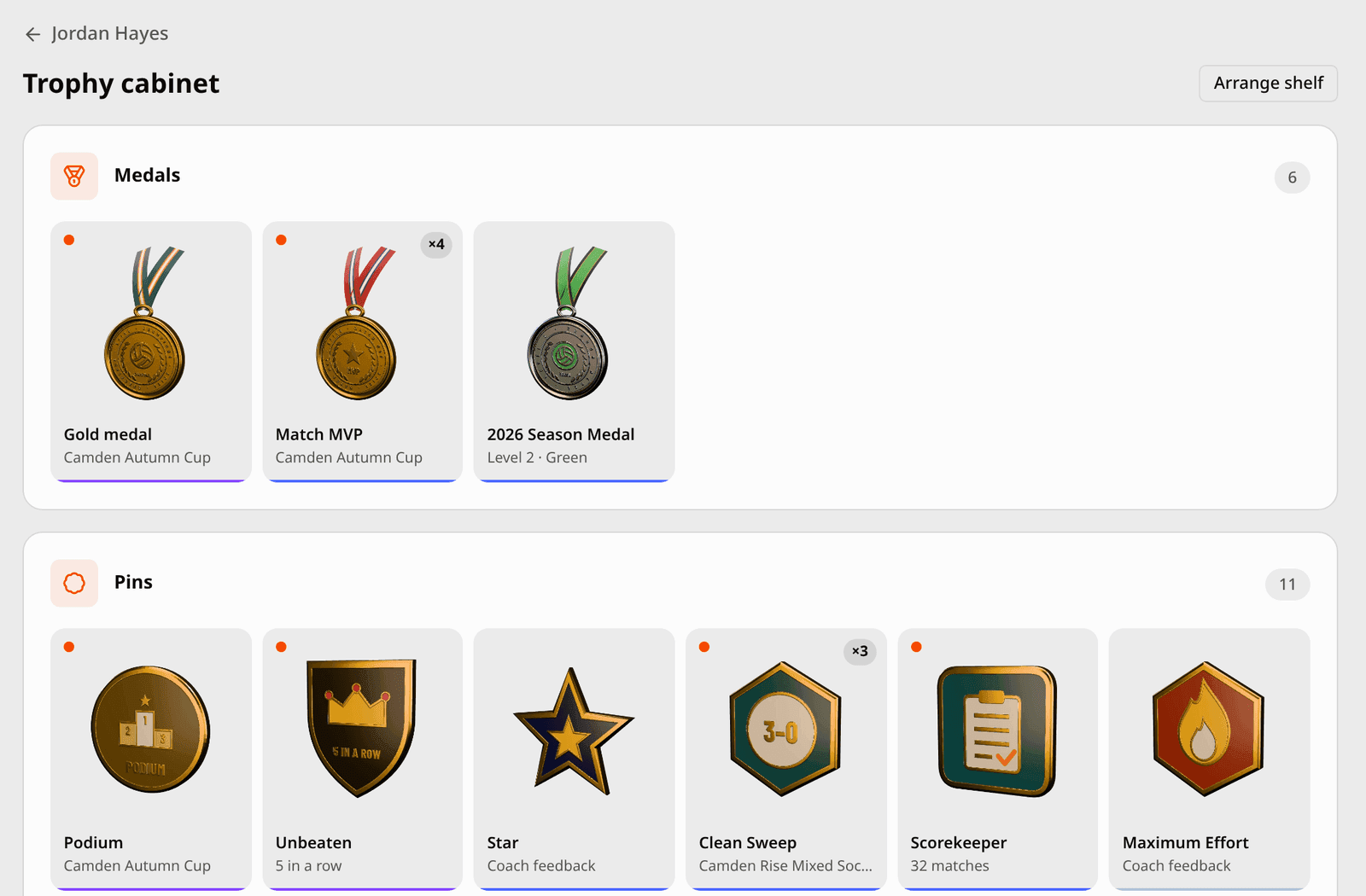
The medals, cups and pins you win now stand on your profile in 3D, on the web and the phone. Turn any of them to look closer, and see what’s still to win: pins for turning up, winning, touch stats, hosting, photos and coach praise, the Star ladder, a coin for each club season and a medal for each year.
New rewards unbox when you open the app, several at once on one shelf.
Praise comes with a pin
Coaches praise with sixteen badges, and each one is a pin the player keeps. On the phone, feedback opens on its pin, standing in 3D, and a coach can give a pin without writing any praise.
Split the scoring at evaluations
Coaches build an evaluation plan on its own, creating exercises as they go, and pick who scores each group at a session. Each evaluator sees and scores only their own group, with names and photos, and the session says what it still needs before it can start.
Follow a tournament live
A tournament’s page now follows the day: the score of the set being played, who has climbed the table and who’s through, the knockout before it’s drawn, and where every team finished. It lays the day out court by court, in the host club’s colours, and says whether you can come and watch.
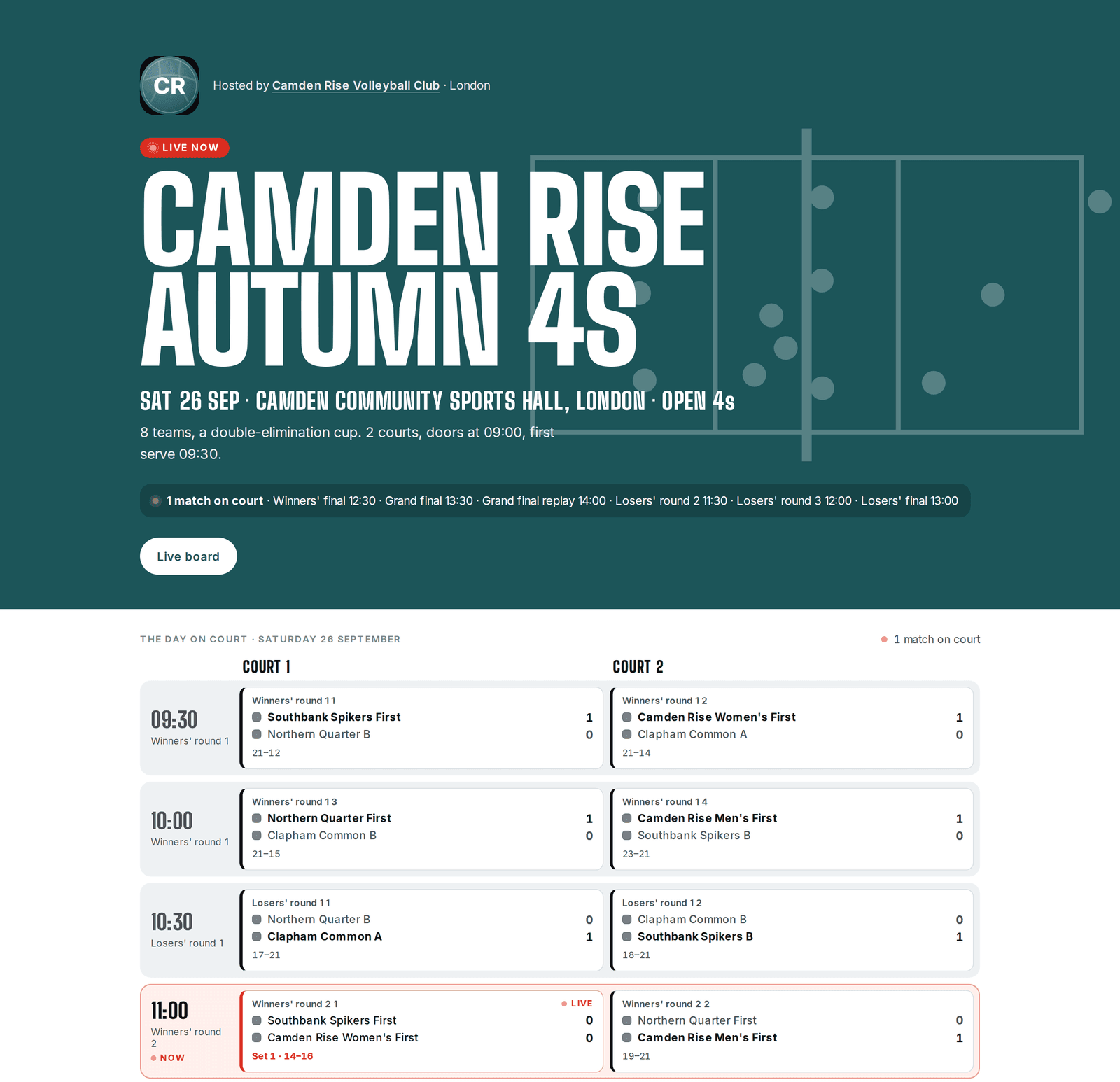
Links and posters carry a QR code to scan. A result typed in with no signal stays on the device and sends itself once you’re back online.
Each side names the other side’s best player, and the player of the tournament is whoever the benches named most. Organisers choose whether the public page names them. Children are never named.
Tournaments are still in early access. A new one goes public after a quick check from us, so create one and we will take a look.
Stats for both teams at once
When both teams in a match are yours, record both at once: the whole court, all twelve players, tapped or typed. Each tap goes to the team whose half it was on. A player can be in both line-ups, so someone who changes sides between sets is recorded for each.
Around the app
The phone app has a dark mode. It follows your phone’s setting, or choose Light or Dark in Settings › Appearance.
On the web, you can sign in with a six-digit code sent to your email instead of a password. An address with no account opens one the same way and can add a password later.
Players get an email receipt when they pay for an event by card. They can find it again in their payment history on the web, or on the event’s Payments screen on the phone.
Fixed
- Times on the dashboard, the events list and event pages are on your own clock and on the right day. In summer, some showed an hour early.
- Keeping Spike open in several browser tabs no longer signs you out.
- Signing in works whatever capitals you type your email address in.
- Spike no longer takes payment for a place in a session that’s already full.
- Organisers are told when someone joins their event.
- Your dashboard shows your upcoming sessions and open invitations, however many sessions you’ve already played.
- Opening a post, or a link to one, no longer crashes the app after the post has been edited.
- Leaving or being removed from a club also takes you out of its teams and groups, with their chats.
- Photos picked on Android in formats like WebP send in chats, and GIFs arrive still moving.