Platform updates: Groups without a club, invite links and match lineups
You no longer need a club to bring your people together on Spike: anyone can start a group or team and invite people with a link. Every event can have an invite link too, and inviting works the same way everywhere. Coaches set a match lineup on a court and share it, organisers see at a glance who has paid, and clubs can put their join form on their own website.
Everything here works on the web now. On the phone, it comes with version 1.3.0, which follows from the App Store and Google Play shortly after. Update Spike when your phone offers it.
Start a group or team without a club
The Sunday crowd at the park, a beach pair looking for a third, a friends’ side in a local league: any adult can now start a private group or team, with no club behind it. Invite people by name, or share an invite link. Name each link after where you post it, rename it, copy it or turn it off, and approve who asks to join.
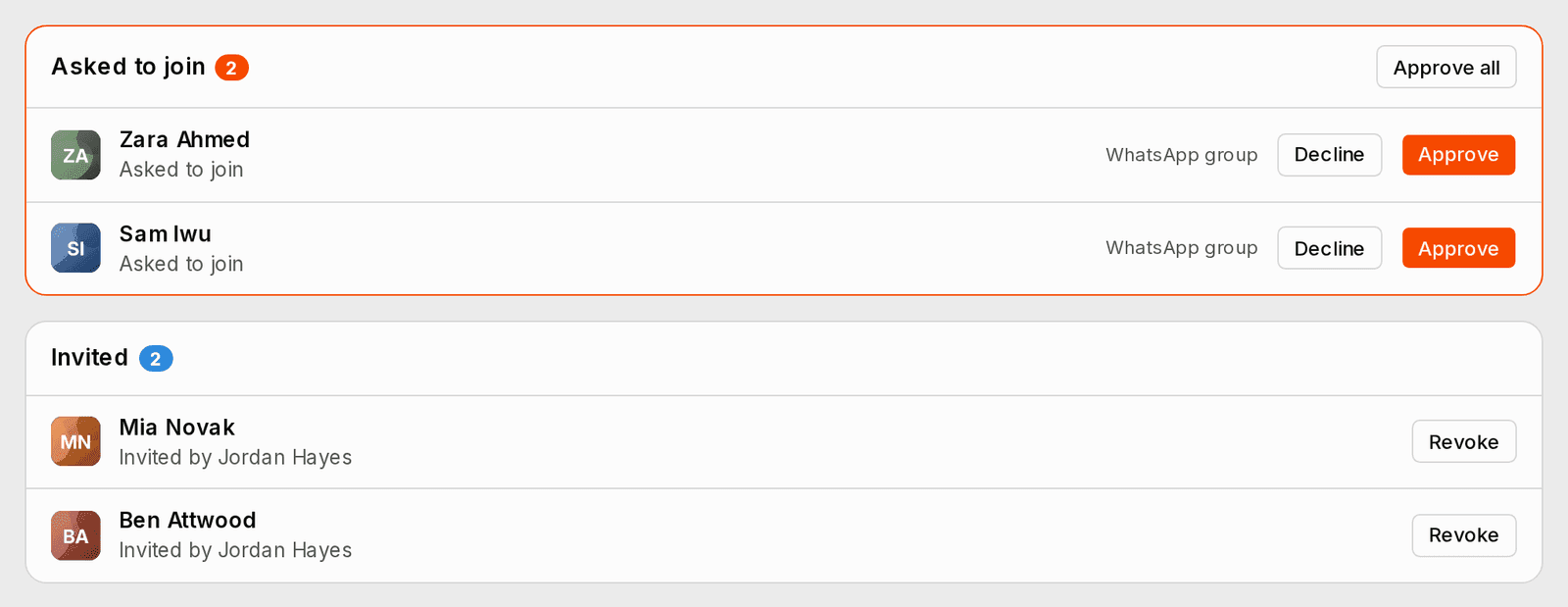
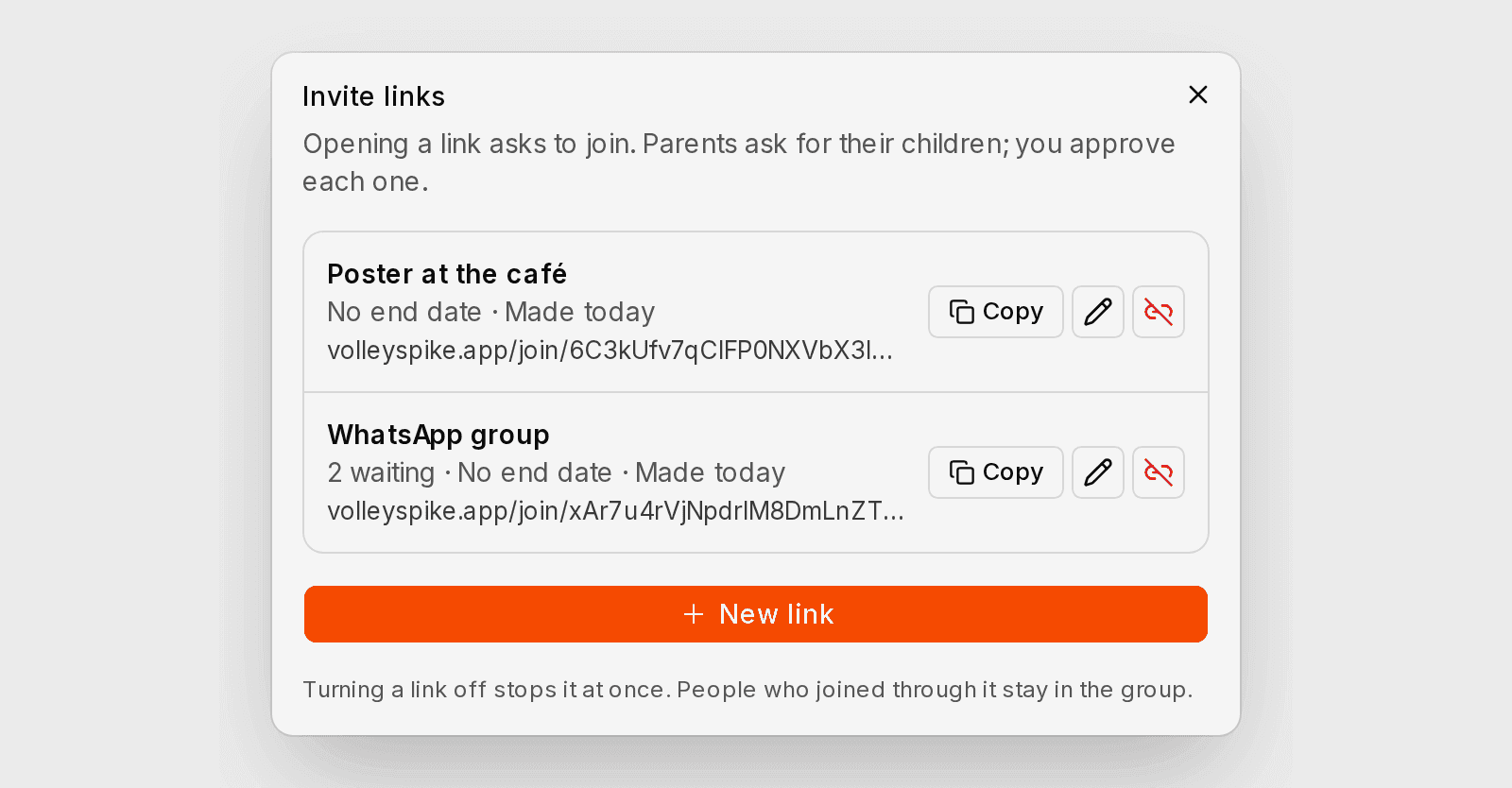
A group or team gets its own private events, its own chat and posts that are never public. A parent can ask to join for their child and take the child out again, and anyone can leave. A club’s own teams and groups can be joined by link too, which makes the person a member of the club and says so on their profile.
Deleting your account first names the groups and teams that only you run, so you can hand them over before you go.
An invite link for any event
Organisers can share one link for an event, private events included, and anyone who opens it can join. A parent who is going can bring their child. If the event is full, the link’s page shows your place on the waiting list and how long a place is held for you. Organisers see who joined through a link.
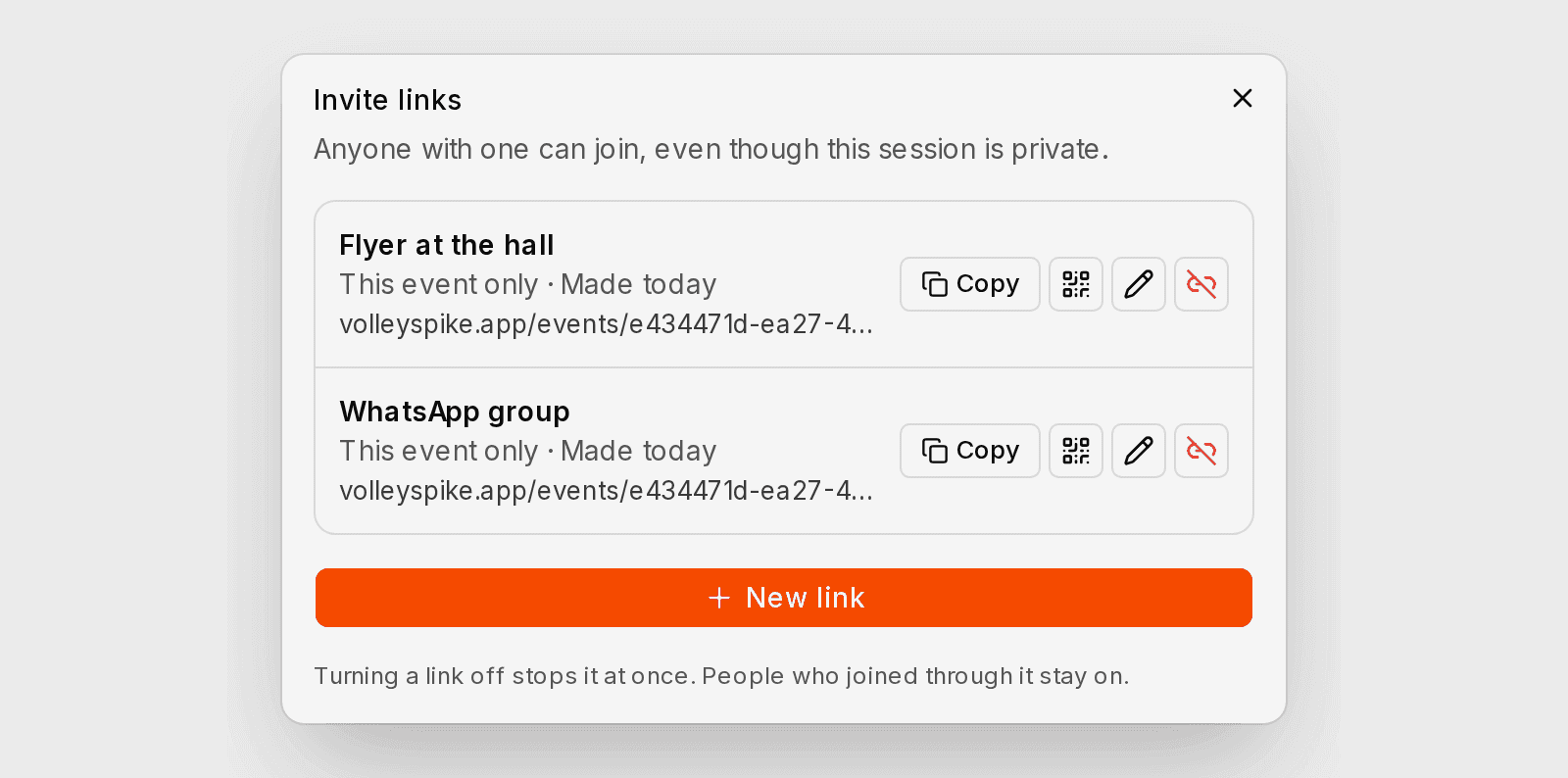
Name and rename links. A link can also make whoever opens it a host, in the role you choose, and a link for a series asks them to host the later dates too.
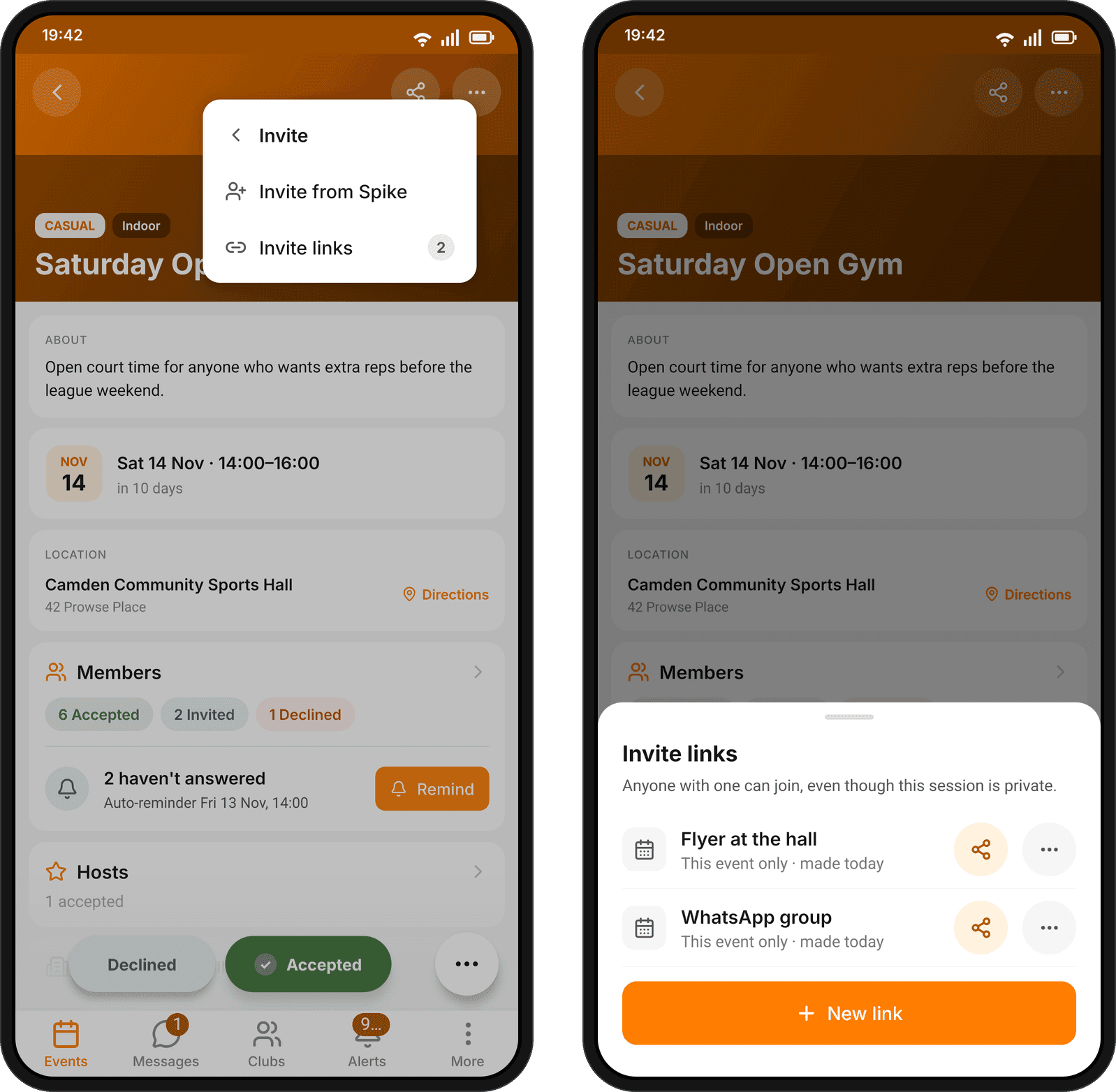
One way to invite, everywhere
In clubs, teams, groups and events, Invite now offers the same two things: Invite from Spike and invite links, from the page’s ⋯ menu or its Members tab.
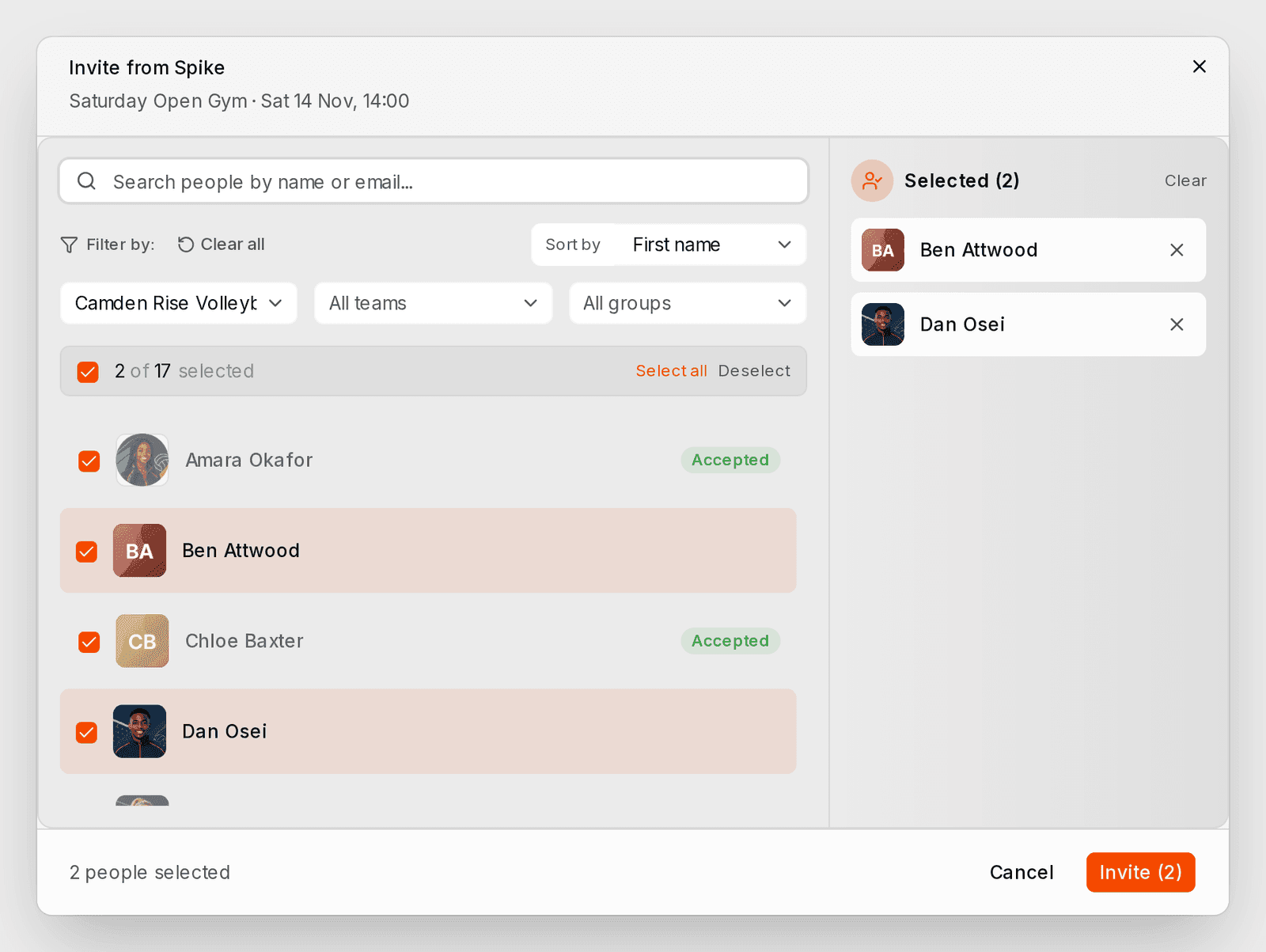
People who are already in, already invited or have asked to join show greyed, with where they stand. Lists sort by first name or surname and remember your choice. Afterwards, one line says how many people were invited and how many were already in, away, waiting for approval or not found.
- On a series, one question asks whether an invitation is for this date only or for this and the later dates. Hosts can be invited to every later date at once, and people who declined can be invited again.
- Team and group admins see everyone they invited who hasn’t answered, and can take an invitation back.
Matches get teams, players and lineups
Setting up a match asks the coaches of both teams to host, each in their team role, and you choose which of your players are asked. Everyone starts ticked: untick whoever isn’t playing. A team invited by another club sees who asked and what accepting means, and picks its players before it accepts. You hear when a team accepts, declines or pulls out.
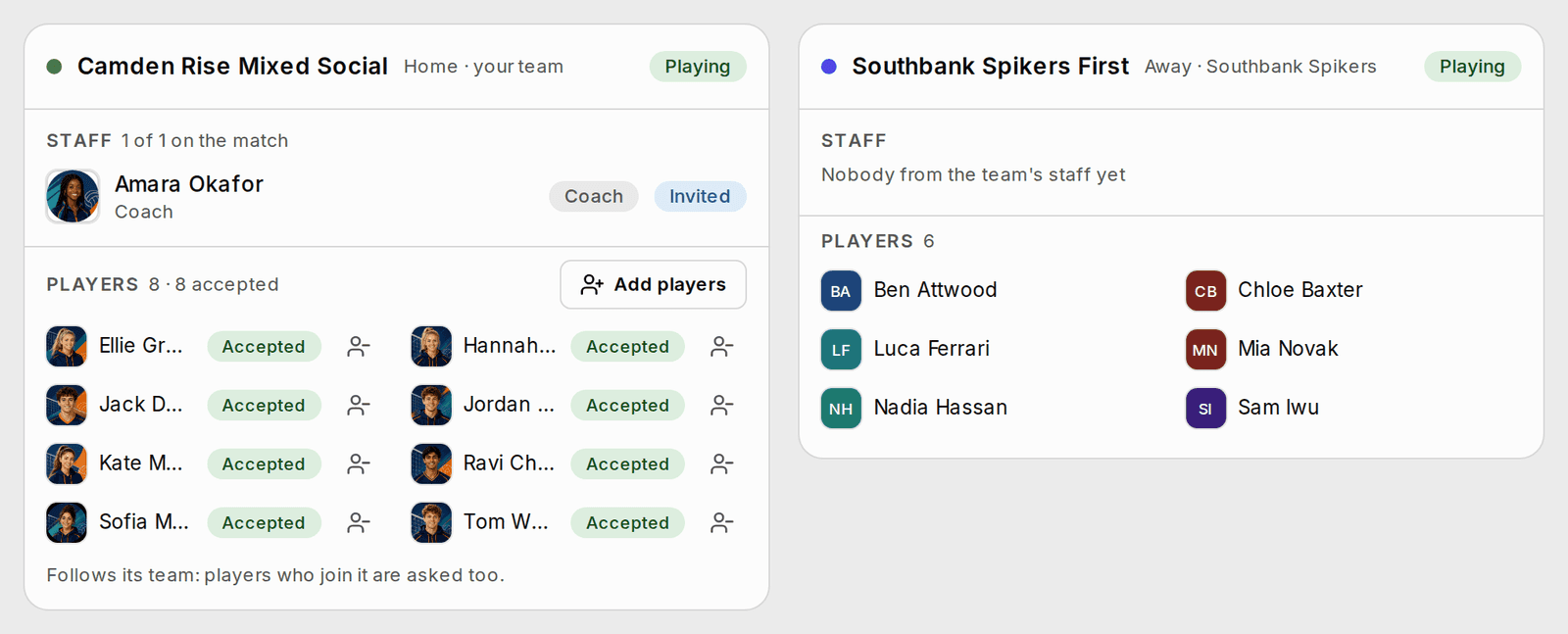
Each match has a People view with both teams’ coaches and players, each player’s position on their team, and who has said yes. Organisers and coaches can ask the missing coaches in one go.
In the Lineups view, a coach places who starts, who covers and the libero on a court that saves as they go, then shares it. Players see where they start once it is shared. Assistant coaches and captains can add and remove players.
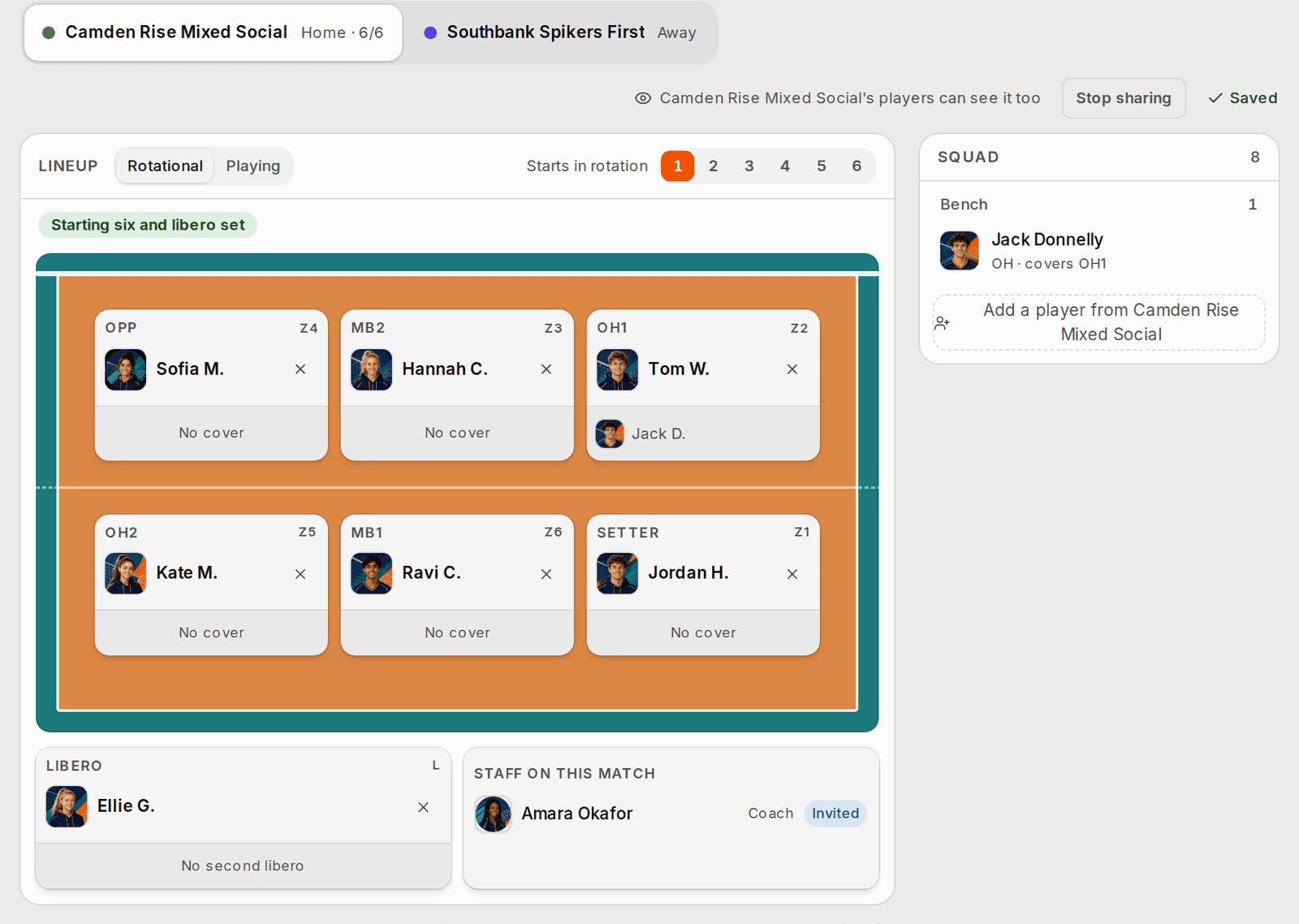
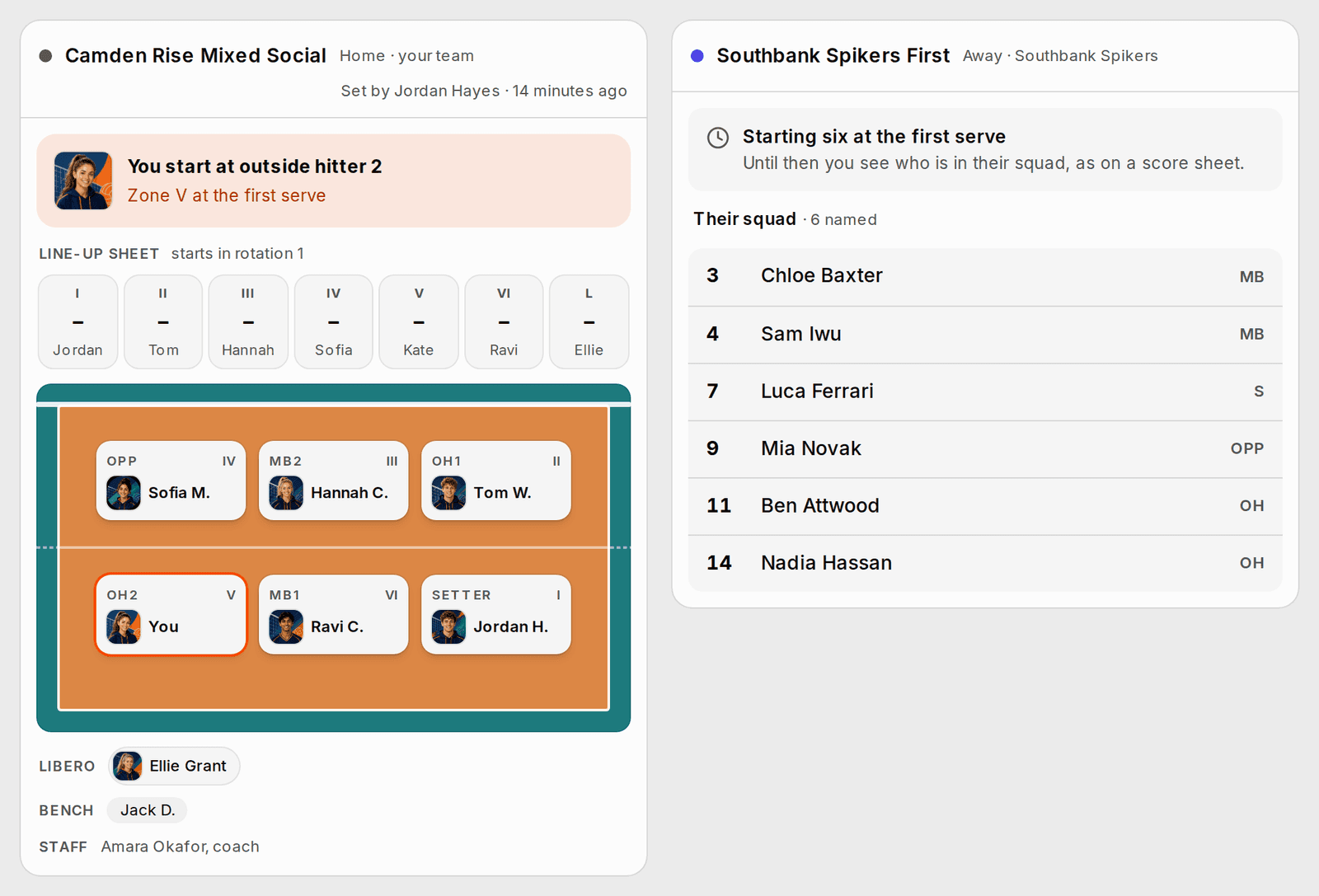
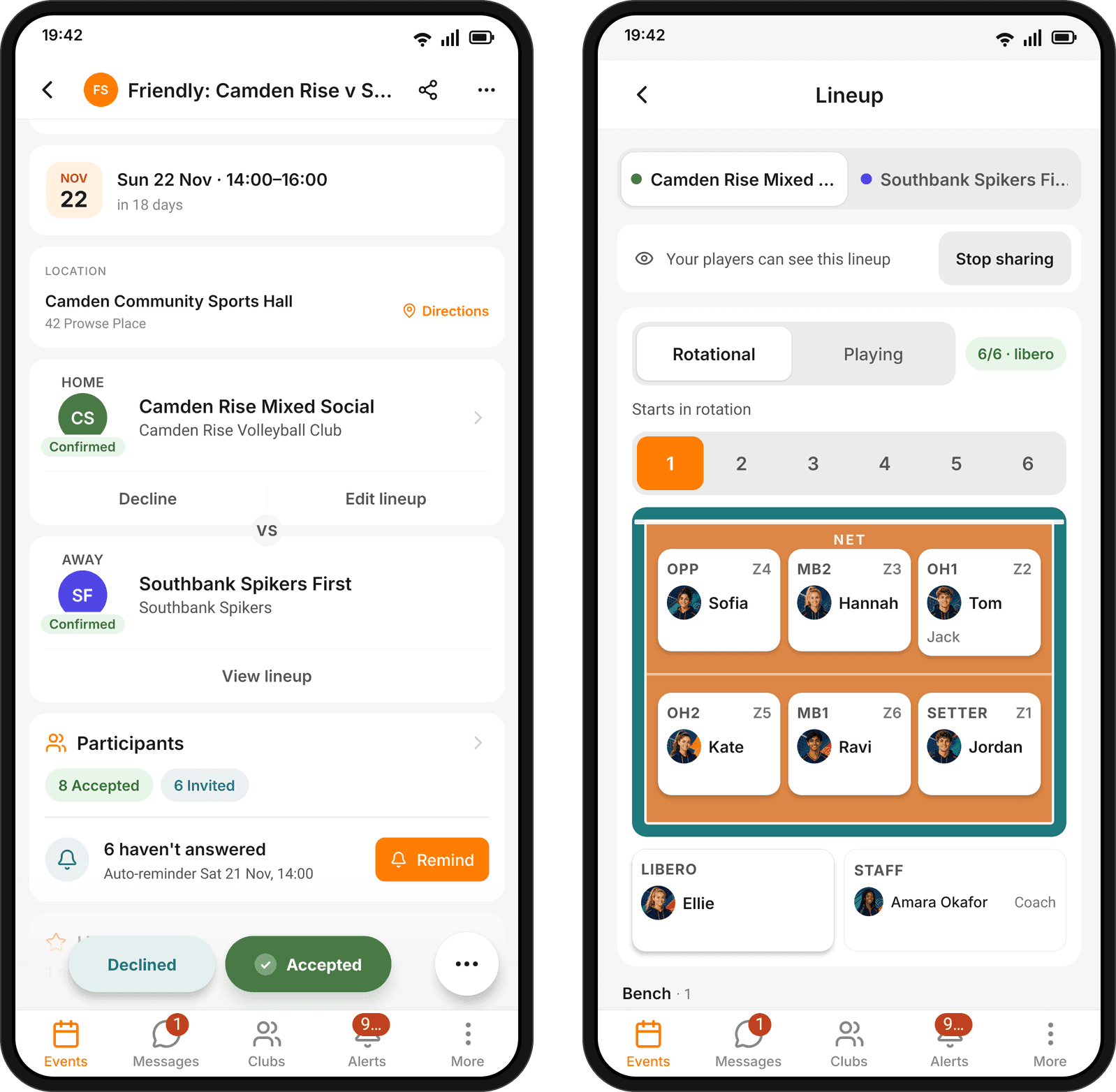
Only the people taking part see who is on a match. Everyone else sees how many players each team has, the other team sees names, shirt numbers and positions but no photos, and a private match’s score stays with the people connected to it. Anyone following a match sees its sets and points live.
- People added to a team are invited to its coming matches, unless the players were picked by hand.
- Each team shows the colour its club gave it.
- Teams of more than 25 players can play.
Collect what players owe
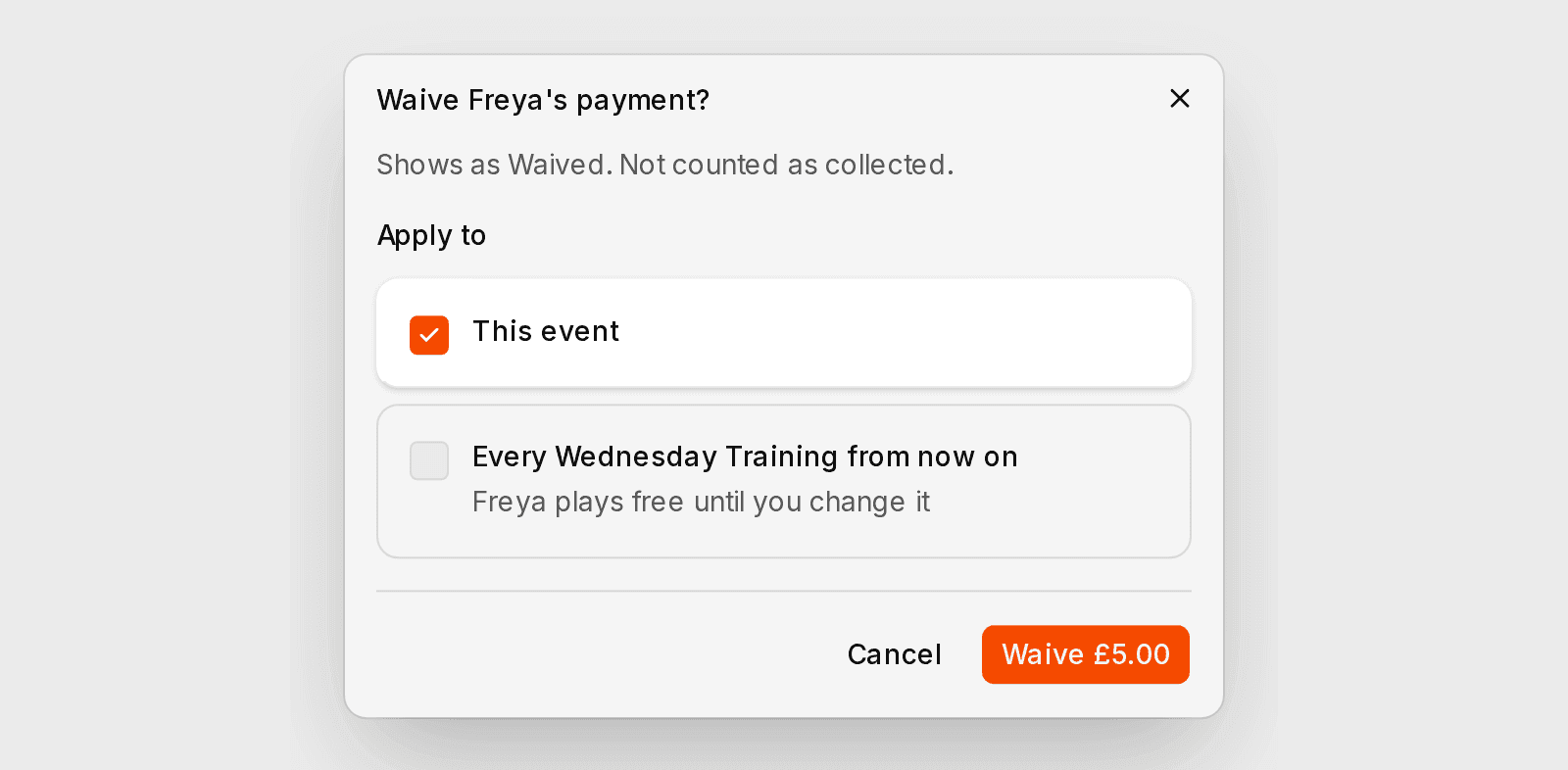
Organisers can waive a player’s payment for one session, or let them play a whole series free, and undo it, from the participants list. Waiving several payments at once asks you to confirm first.
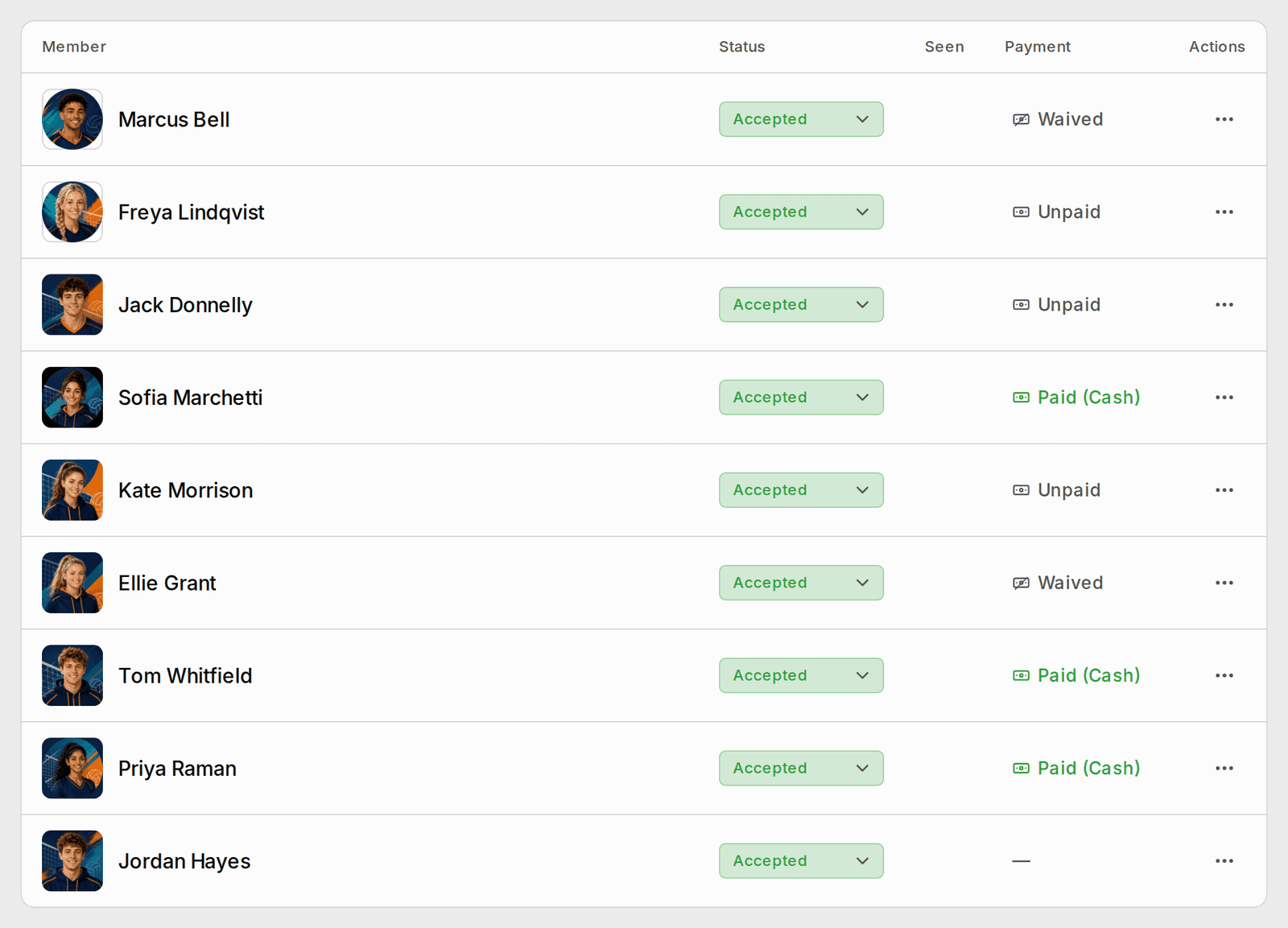
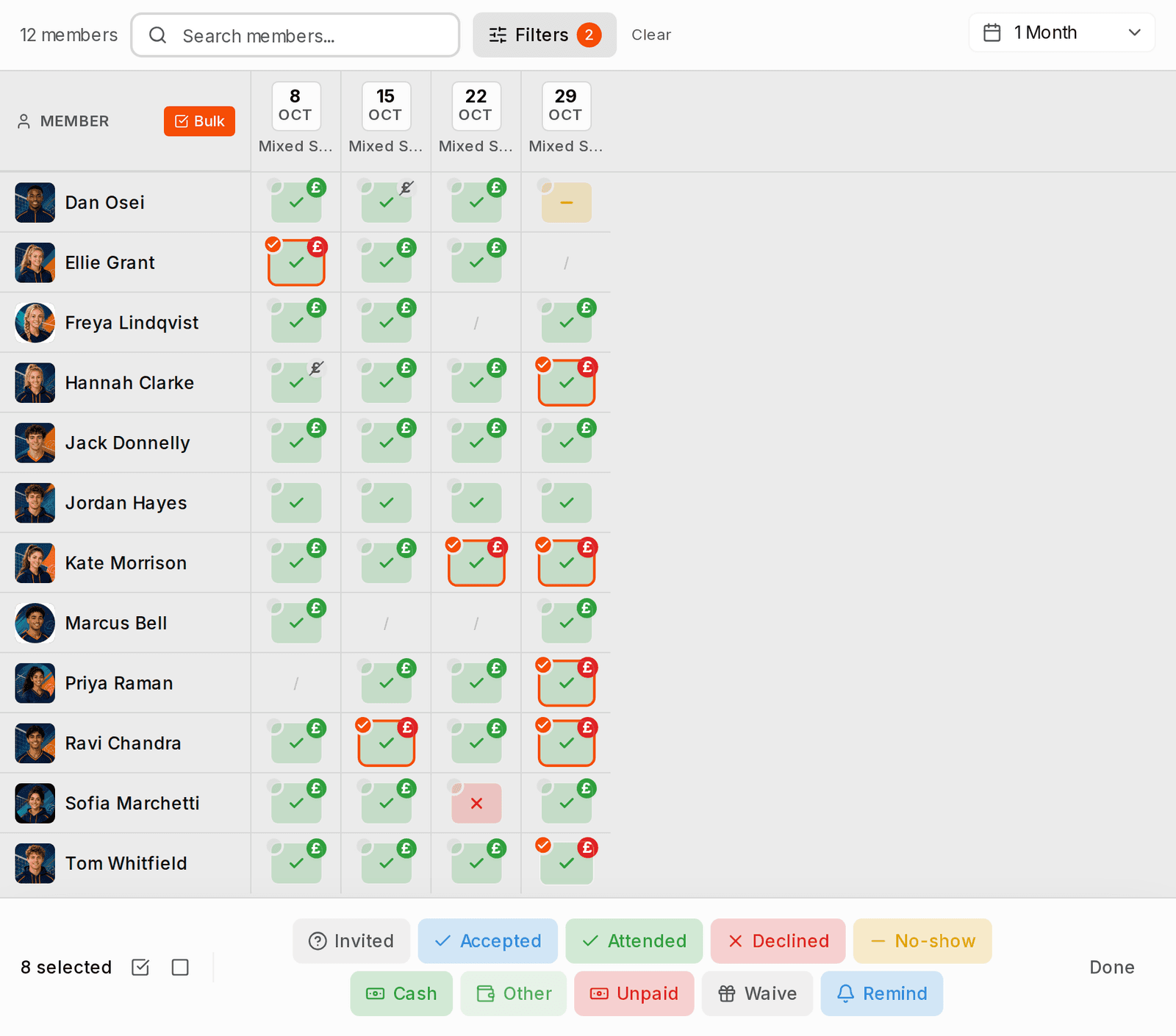
On the participants list, each payment reads as a banknote: grey when it isn’t paid, yellow when it is pending or a place is held, green when it is paid, and struck through when it is waived. The attendance grid marks every week the same way, with what is still owed in red. Pick the people who owe and remind them in one go: a player who owes for several sessions gets one reminder that lists them all.
On the phone, a new Payments screen under More shows what you owe and who owes you, with remind, mark paid and waive a few taps away. Each event’s Payments lists everyone by where they stand: paid, pending, waived or owing. From there, organisers remind, record cash, waive one date or let someone play the series free.
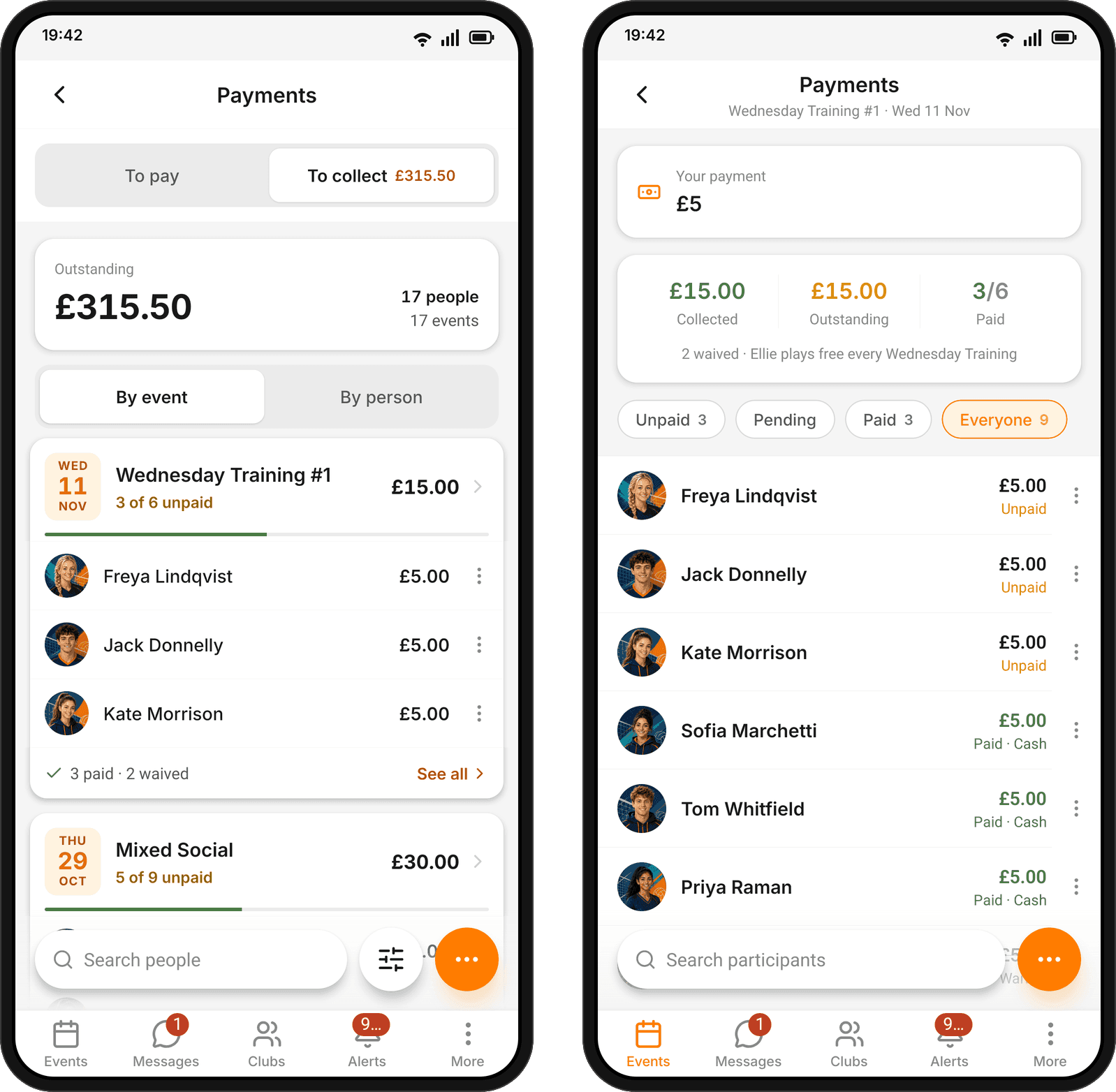
What you owe for an event sits on a one-row card with the price and a Pay button, and Undo after waiving or marking a payment stays up longer.
Your join form on your club's website
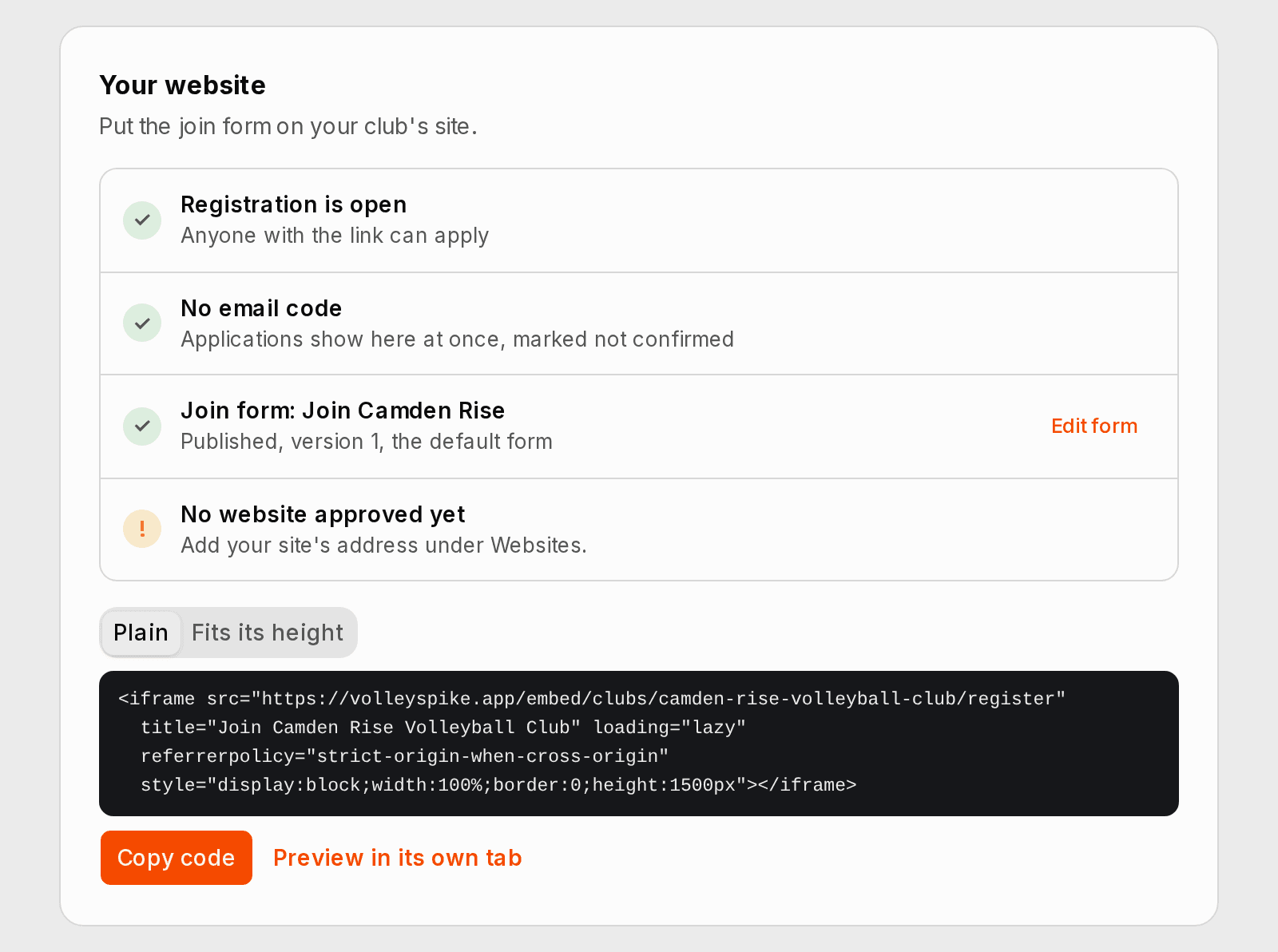
Club admins get the code to put the club’s join form on its own website, including a version that grows with the form, and a checklist of what is still missing before it can go live.
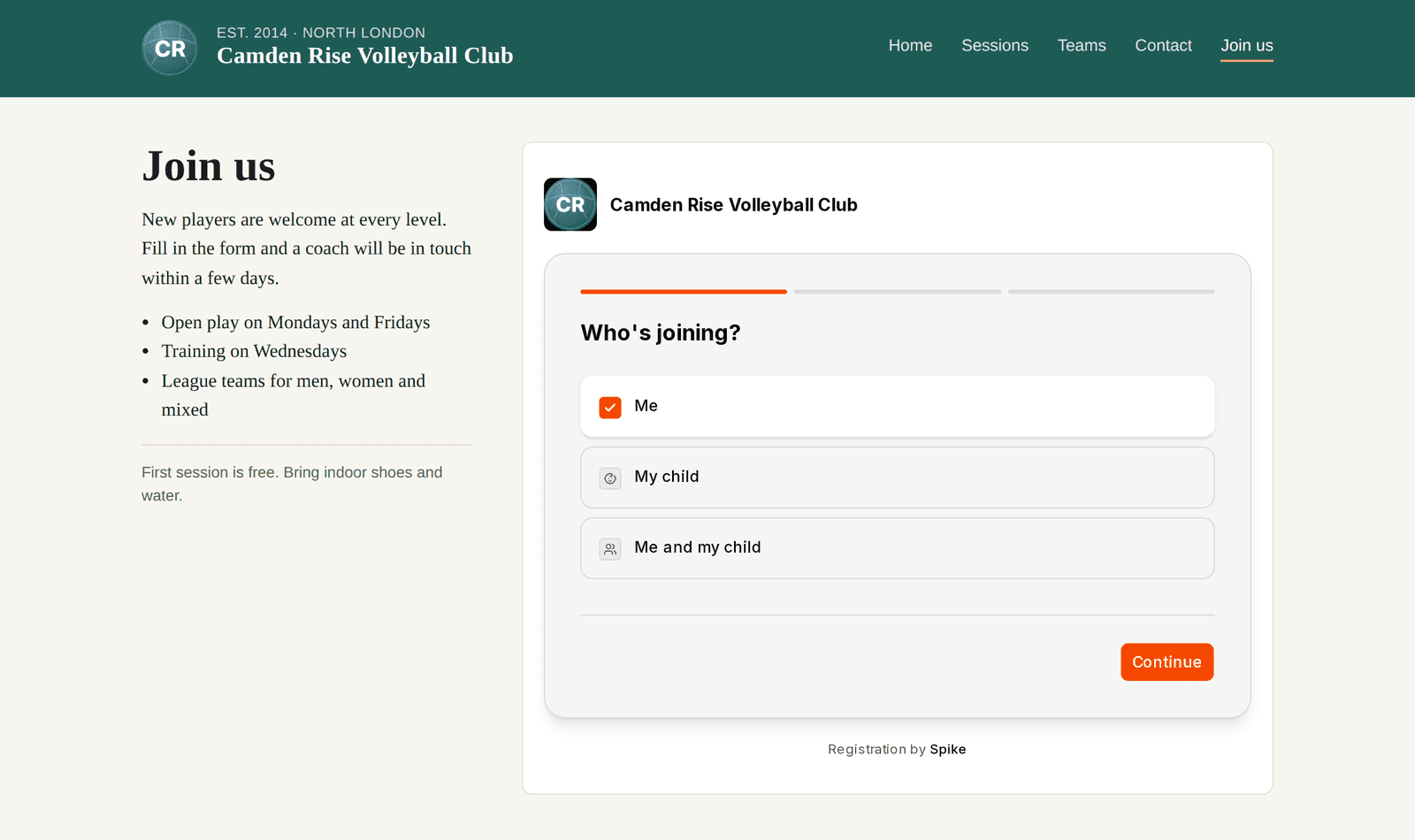
Link consent lines to the club’s own pages, such as a code of conduct or a photo policy, and add your privacy policy. Send a confirmation link again to a corrected address. Accept or decline someone on the waiting list, or think again about someone you declined, from their registration’s own page.
- Applications on the waiting list no longer expire after 90 days.
- People on the waiting list, or declined, get the club’s own message.
- People joining see where their answers go before they press Send.
- The form tells anyone whose browser blocks its security check, and what to try.
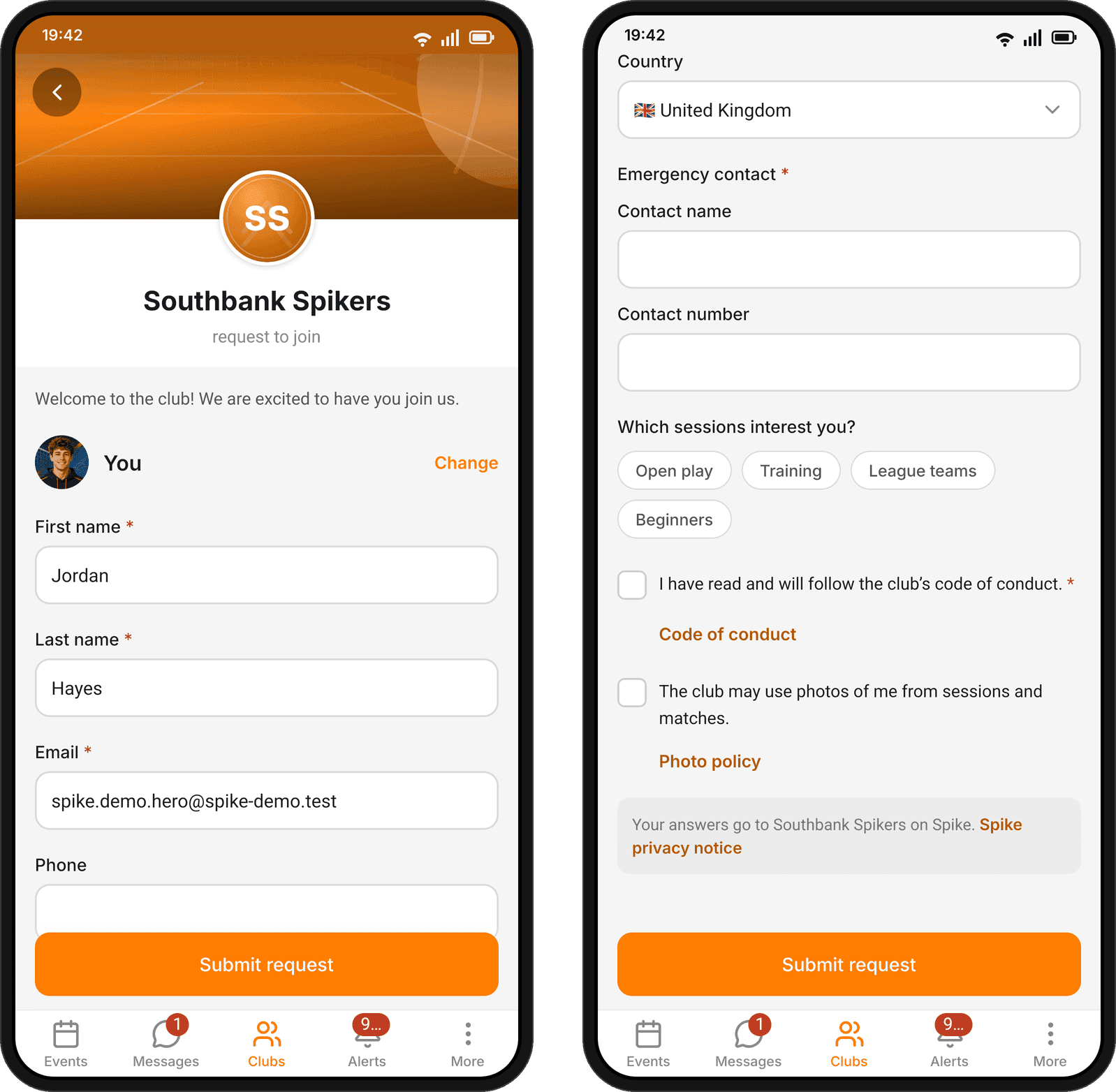
In the app from version 1.3.0, every question on a club’s form works: consents, tick boxes, addresses and emergency contacts. People can join a club, and accept an invitation, from their phone.
Events keep the venue's clock
At a venue in another time zone, a new or copied event, a repeating session, and a tournament’s days, match times and entry deadline are set on the venue’s clock, and the form says so. Editing an event abroad no longer moves its times. The calendar shows each event at the time it is played, with your own time when you hover over it, and notifications, reminders and public session pages give the time where the session is played.
Around Spike
- Invitations read Invited, Accepted or Declined everywhere, and you answer with Accept or Decline. A player holding a place until they pay shows as Accepted.
- Organisers manage hosts in the same list as players: open a profile, change an answer or a role, move a host to the players, or remove them, from the row’s menu.
- Search, sorting and filter counts on an event’s members cover the whole list.
- Everyone on an event’s list is in its chat, and people who decline or are removed leave it.
- Reminders greet people by name, and a payment reminder covers every unpaid event in one message. A parent’s reminder email has a button that says what to do, such as Pay £6.
- Coaches sort their drills and plans into folders and choose who sees each one: only them, the coaches at their clubs, or everyone on Spike.
- The links page opens with a tactics board of all six 5-1 rotations, free to view without an account.
In the app: version 1.3.0
These come with the store update, after everything above. On Android, Spike now offers new versions inside the app and installs them in one tap. On Android and iPhone, a version too old to keep working asks to be updated before it opens.
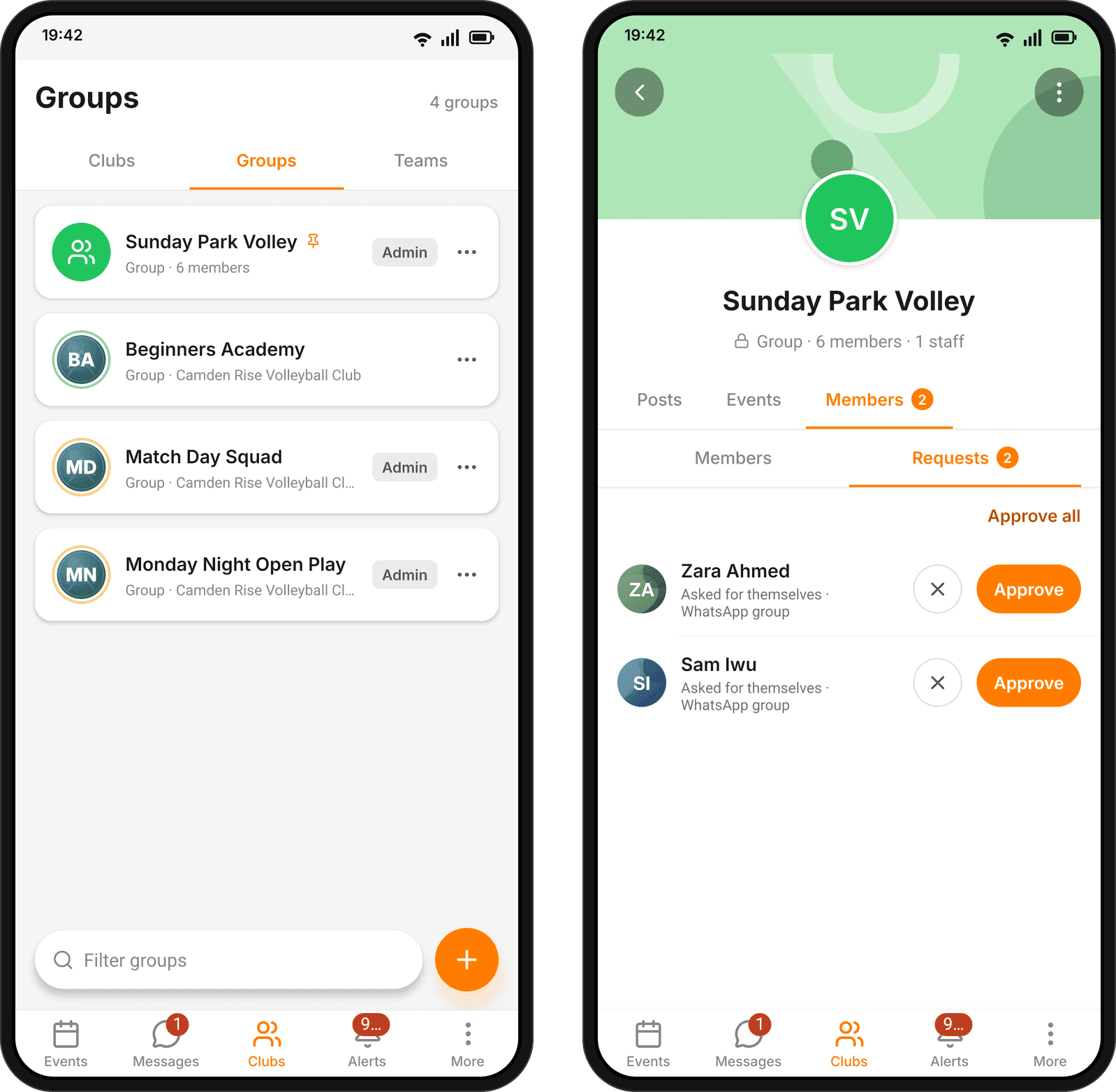
The Clubs tab lists your Clubs, Groups and Teams side by side, with Discover beside the title. Pin a group or team to the top of your list from its ⋯ menu. Teams and groups get the same Members and Requests tabs as a club, where coaches and admins approve who asked to join.
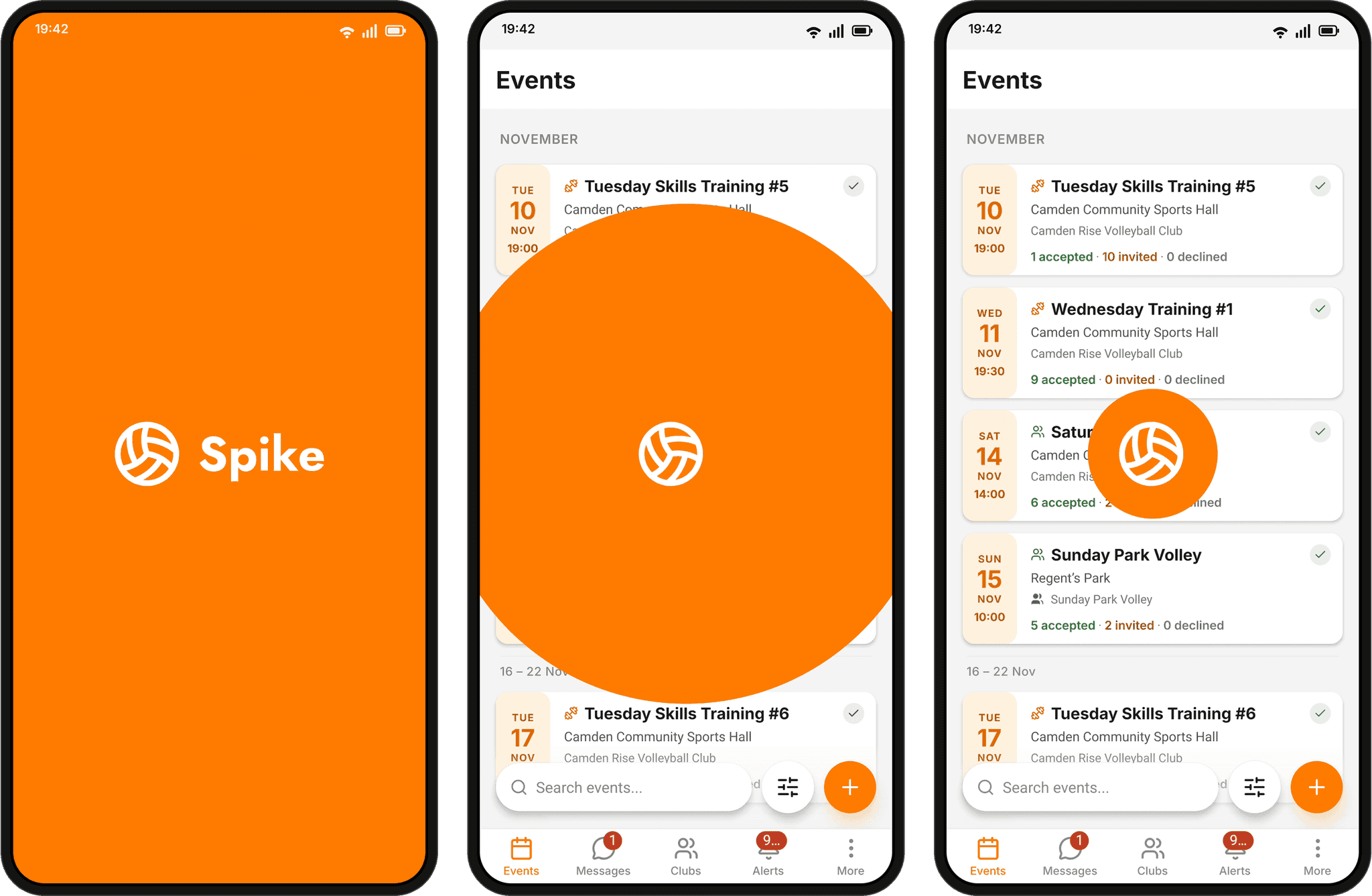
A new opening animation: the ball rolls into place as the name rises, then rolls back to the centre as the orange closes in.
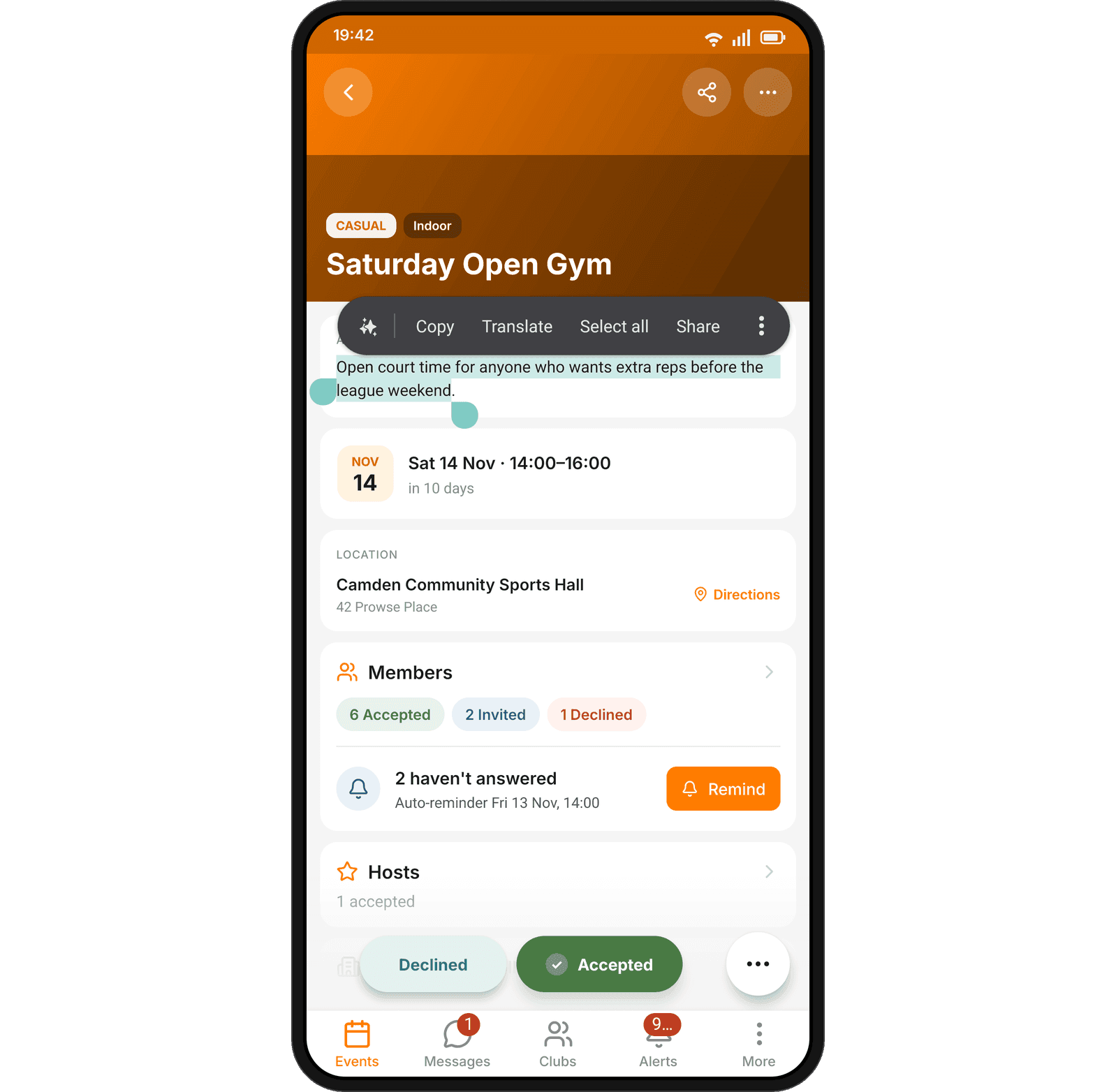
Press and hold the words of a comment, post or description to select and copy part of it. Copying a comment keeps its line breaks, and pasted text stays on separate lines.
- Posts show the club and the team or group they were posted in, and tapping either opens it.
- On a feedback, tapping the coach’s or player’s picture or name opens their profile.
- The confirmation link from a club’s join form opens in the app, and club admins can open an applicant’s profile and tap the links in their answers.
- Coaches see the plans other coaches at their clubs share with them.
Fixed in the app
- A dropped connection no longer takes an event’s page away: the page stays, says it couldn’t refresh and offers to try again.
- Birthdays are saved on the day you pick, wherever you are, and the members’ age filter uses exactly the dates you pick.
- Opening a verification link with the app closed shows “Email verified” first, and tapping a new award’s notification plays its whole reveal.
- Bottom sheets open and close promptly again, and lists inside them scroll sideways, so you can reach “More chats” when sharing and every chip when inviting.
- Back from a trophy cabinet opened on someone’s profile returns to that profile.
- A finished event counts the people who attended as going, an event shows as full when its last places are held for payment, and long event names wrap in the Events list.
Fixed
- Spike no longer shows someone who has paid as owing, or charges them twice, whatever happens to a payment window or a declined card along the way.
- Someone invited again to a paid event they have already paid for, or had waived, sees Accept instead of Pay & Accept. People invited to both host and play a paid event take their place free.
- Someone who leaves a team, group or club and comes back later gets the notifications about its events again, and cancelling an event no longer notifies people who hadn’t been asked to it yet.
- The event page counts everyone on the event, not only the first 100, and member lists show everyone, not only the first 20.
- Anyone who runs one date of a series can remove a player, or take back an invitation, from all the later dates at once.
- Venue search finds addresses outside the UK, and a blocked or slow map no longer holds up Save for several seconds.
- An event form left open for a while no longer fails with “Please choose future date and time” for an event that is still ahead.
- Tapping Withdraw twice on a tournament squad no longer shows an error, and changing only a match’s court from the live board keeps its time.
- A team or group coach can no longer remove, demote or change the roles of the team’s admin or manager.
- Match rewards go to the players who said they were coming, not the whole roster.
- Comments with an @mention no longer break the event page, and links in posts written on the phone open as links on the web.
- On a phone-width browser, the hosts’ and players’ tables fit the screen with the ⋯ menu in reach.