You're running a training session. Now what?
Your club has a Tuesday night and you are the one holding the whistle. Here is the whole path on Spike: keep your drills in one place, plan the session in minutes, put it on the floor of your hall, and run it from your phone.
Start with a stocked shelf
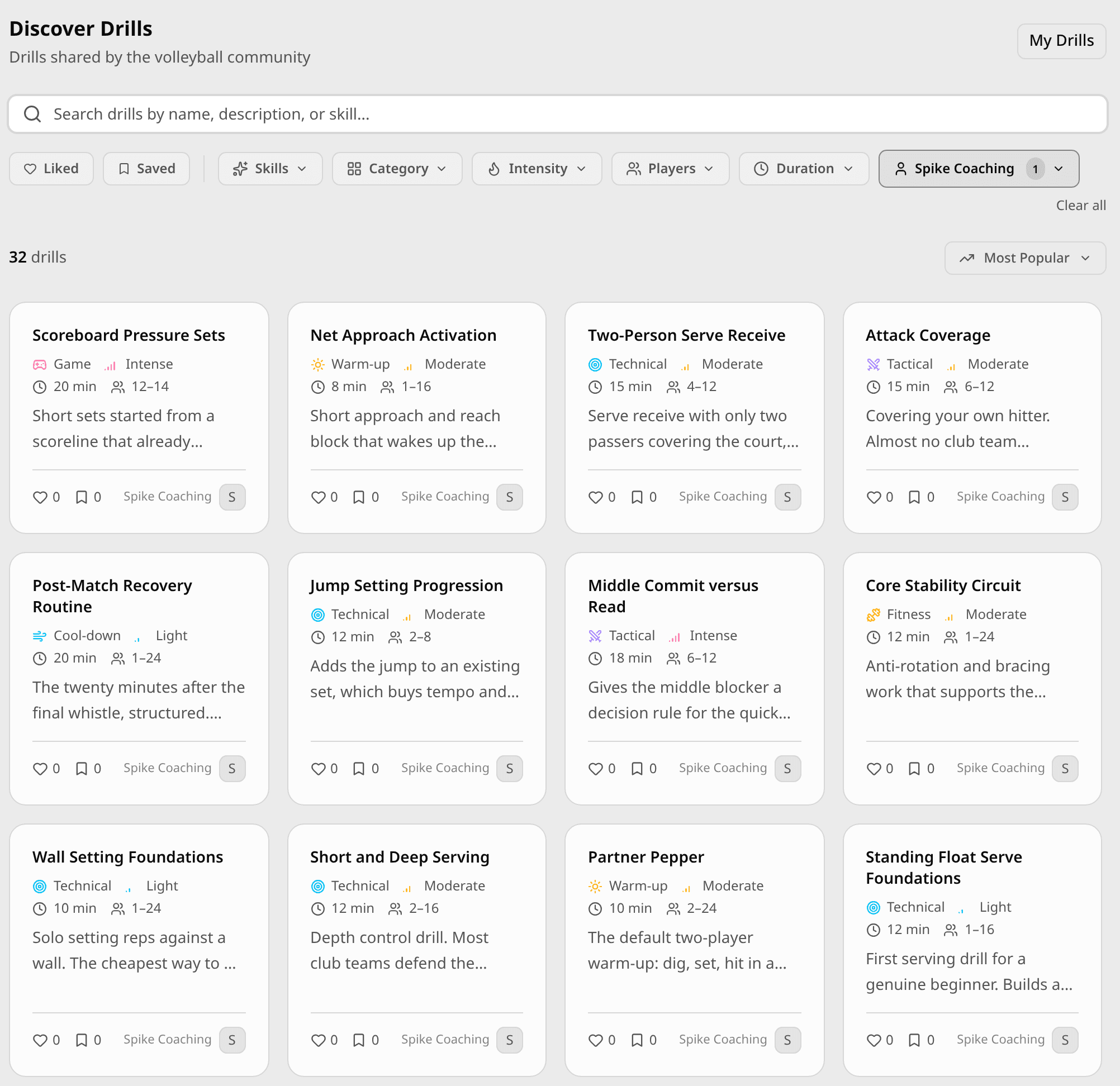
Open Coaching, then Drills. The Discover tab is the public library — drills shared by every coach on Spike, plus the set we ship ourselves, from warm-ups to cool-downs. Filter by skill, category, intensity, how many players you have, how long you have, or who wrote it. Save the ones you like and they sit in your own library, ready for a plan. The same shelf exists for whole session plans: open one, load it, and change what you need.
Write a drill once
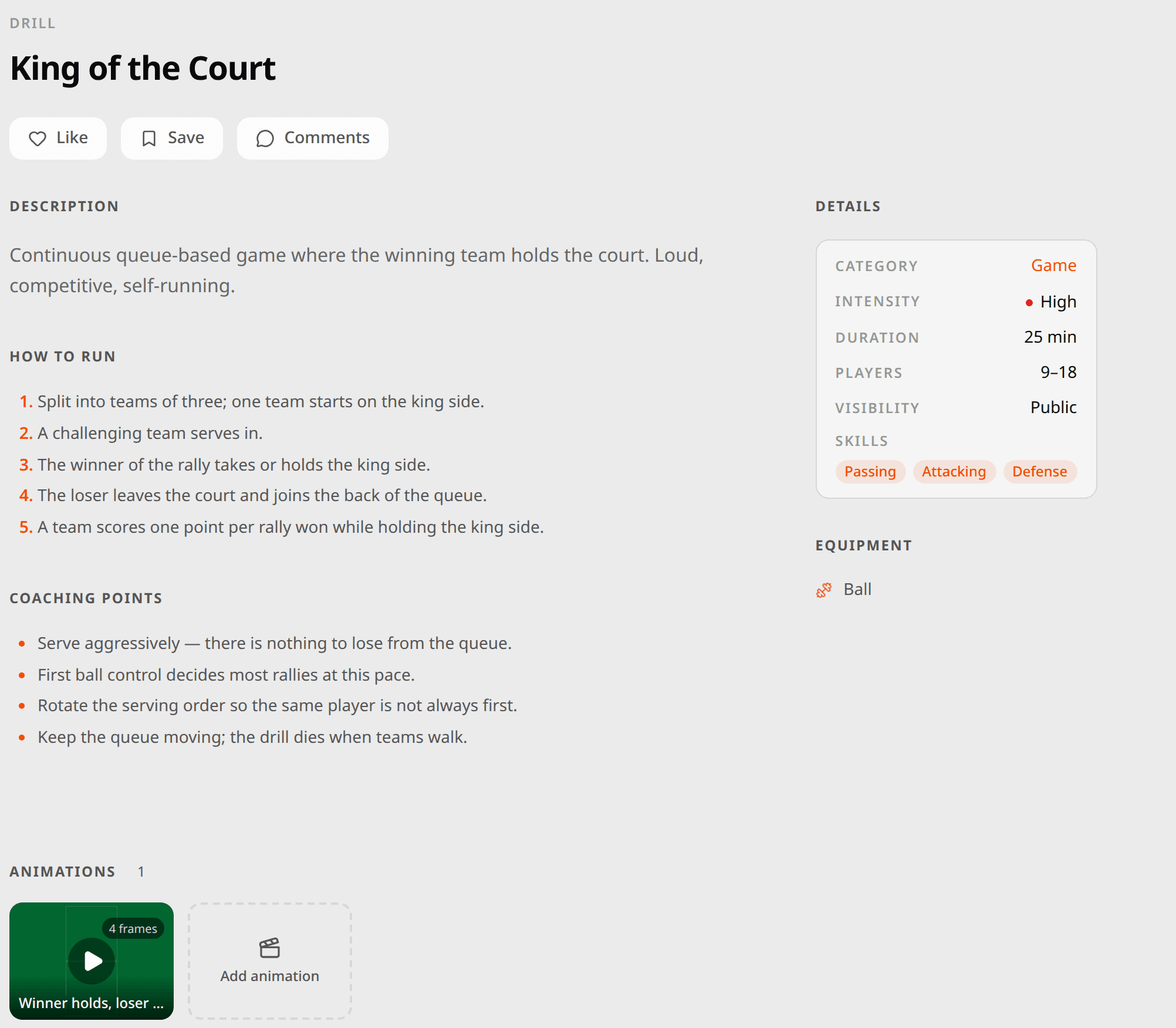
Your own drills live under My Drills. A drill is a name, a category — warm-up, technical, tactical, game, conditioning or cool-down — an intensity, the skills it works, how many players it needs, the kit, how long it takes, then the steps to run it and the coaching points you would say out loud. Keep it private to your library or share it to the public one.
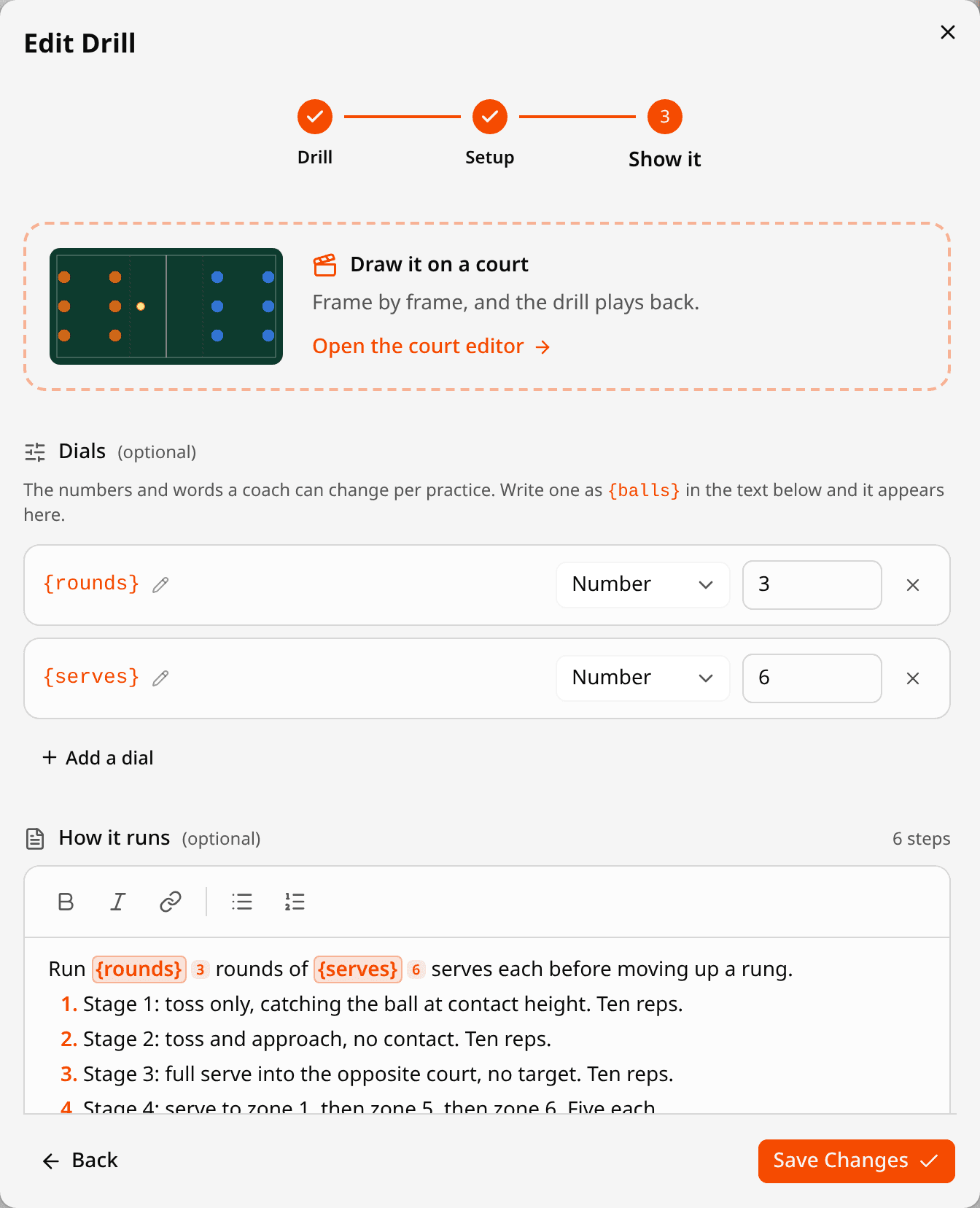
Some numbers change every week: how many rounds, how many balls, which zone to serve at. Write them into the instructions as {rounds} or {balls} and each becomes a dial — a setting the drill carries everywhere it goes. Every session answers its own dials, so one drill reads “2 rounds of 8” on Tuesday and “3 rounds of 6” on Thursday, with no second copy of the drill to keep in step. A dial can be a number, a word, or a switch — “float serves only” one week, “jump serves allowed” the next.
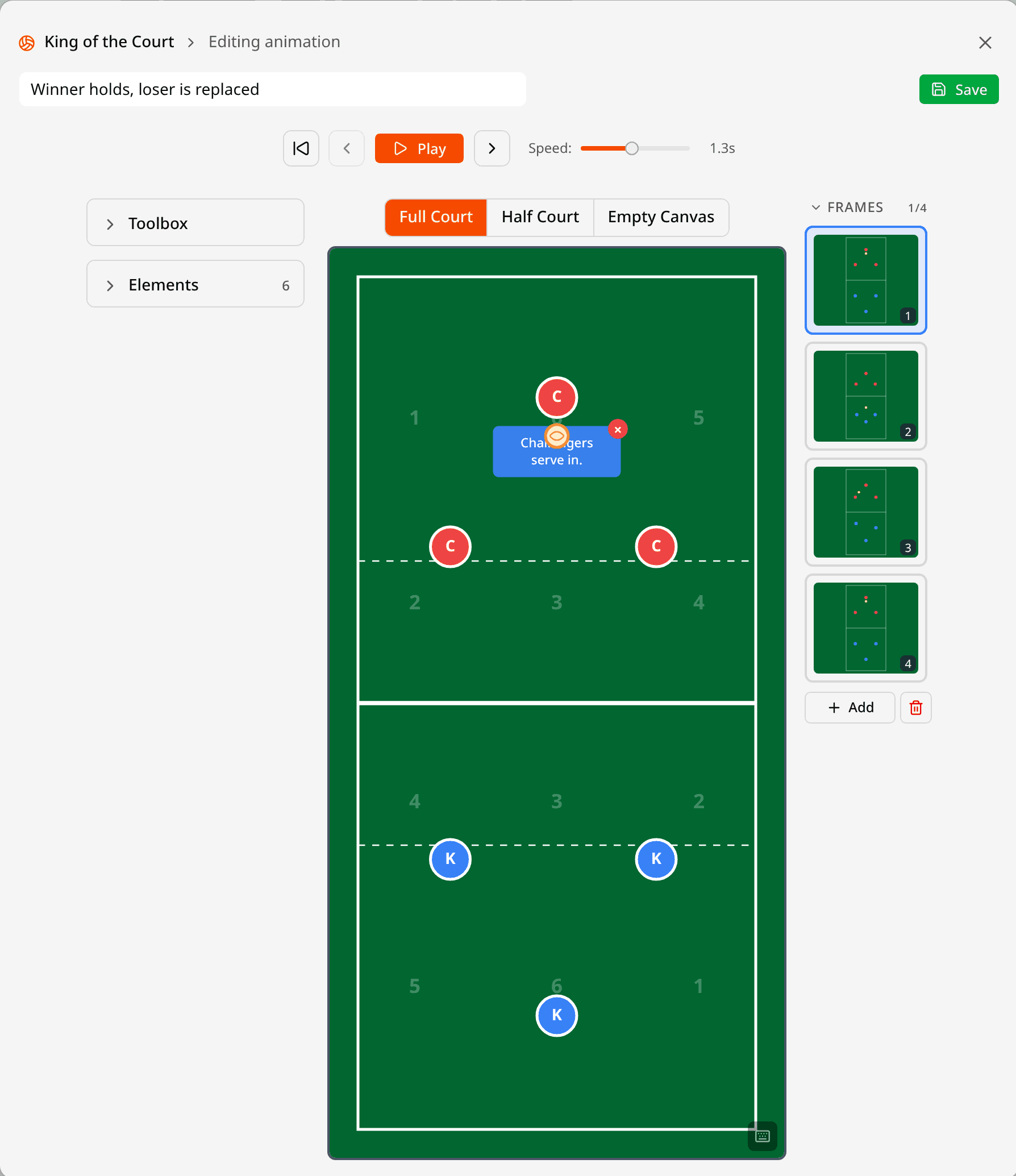
The last step of the editor is a court. Place players, the ball and the kit, add a frame for each movement, and the drill plays back as an animation — on the drill page, and on the phone in the hall. A note on a player says what they do in that frame. The court editor deserves a post of its own; this is the short version.
Already have a spreadsheet? Import it
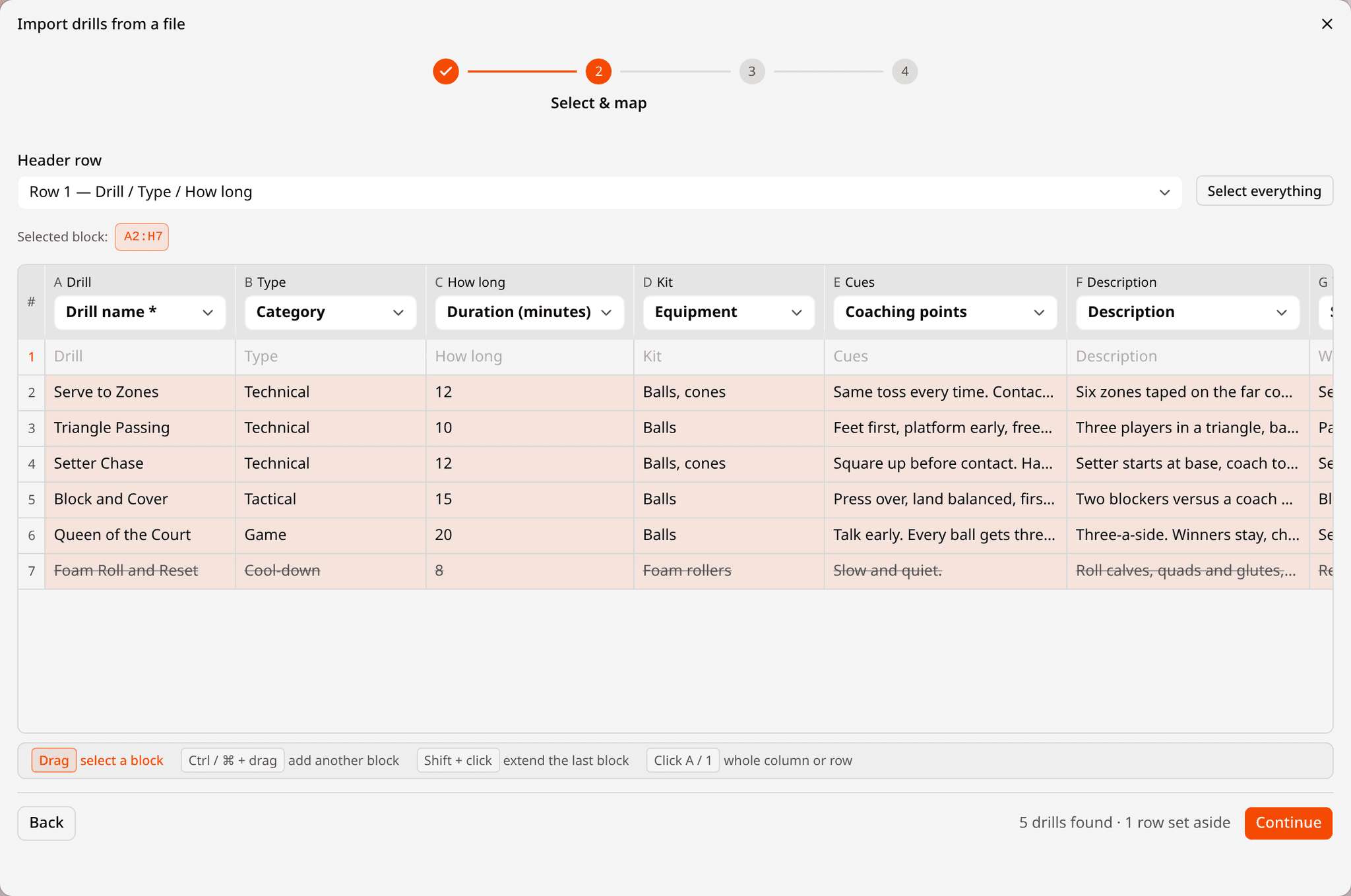
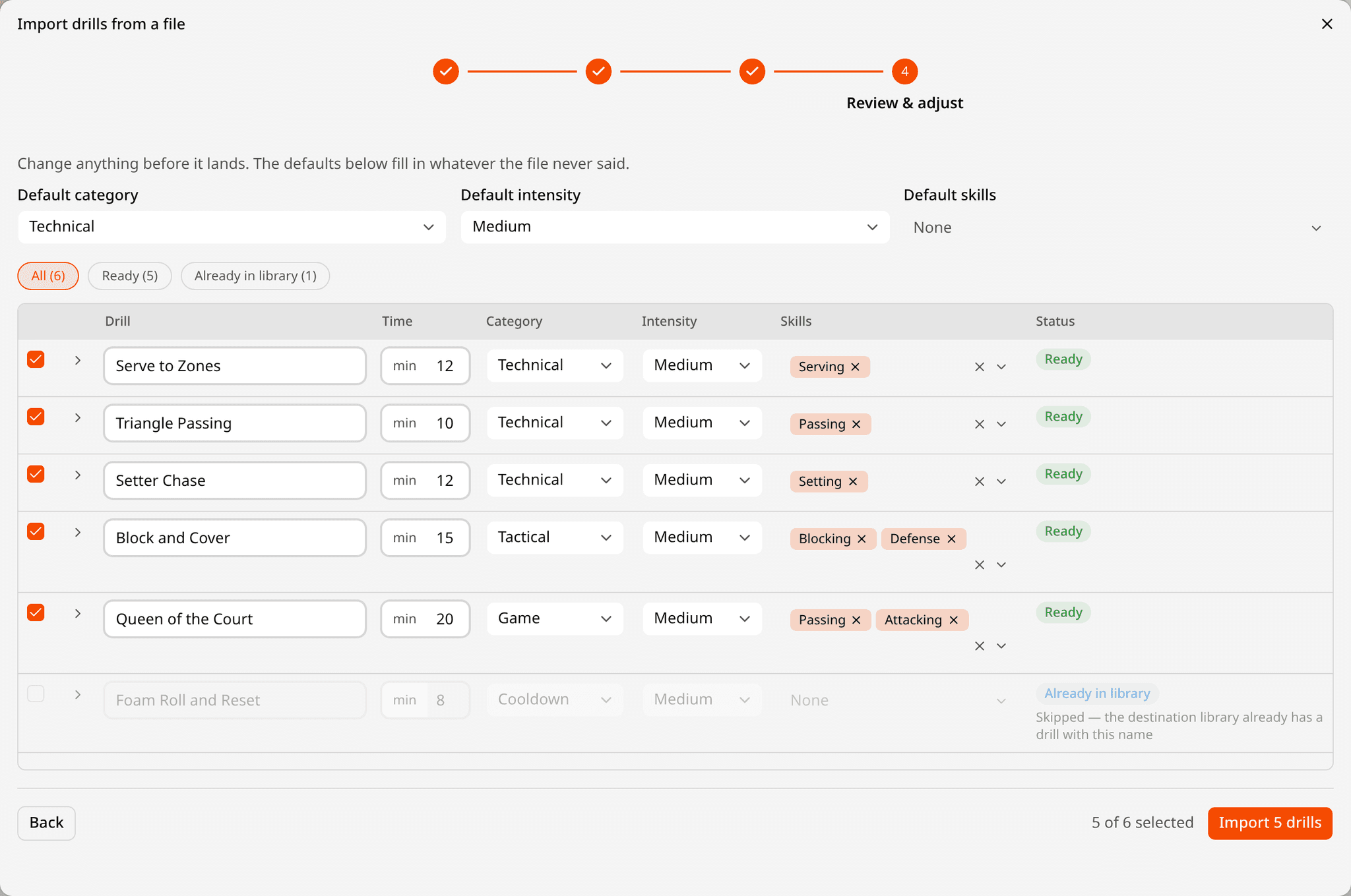
Most clubs already keep their drills somewhere — a spreadsheet, a shared document, a coach’s head. Drop the spreadsheet on the import screen, as CSV, Excel or JSON. Spike finds the header row, reads your column names as you wrote them — “How long”, “Kit”, “Cues” — and matches each to a field. Check the mapping once, then adjust any row before it lands: a category, a skill, a duration the sheet never had. A drill already in your library is set aside rather than duplicated, and a bad cell fails its own row, not the whole file.
Plan the session
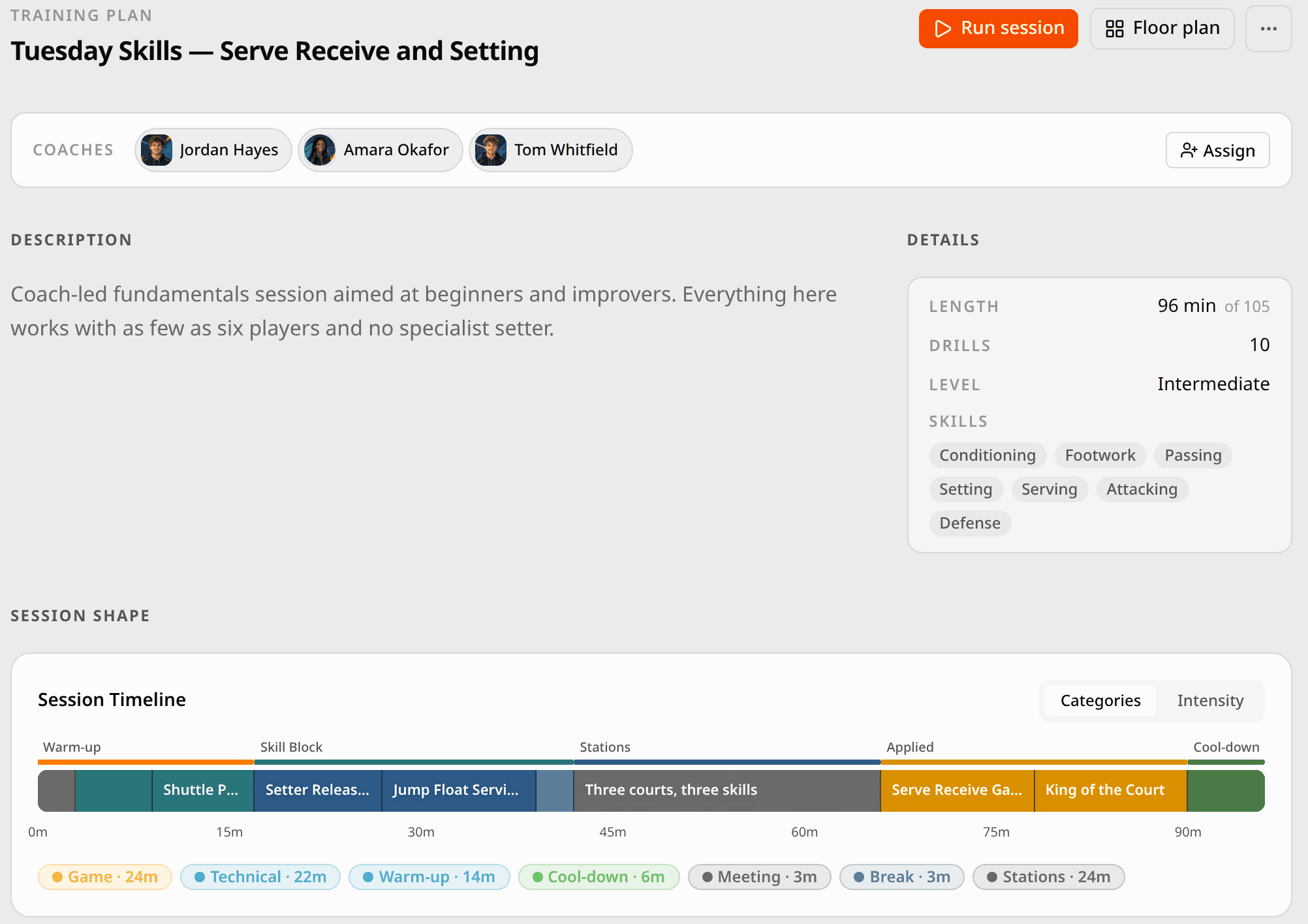
Open Coaching, then Training Plans. A plan is a template you keep and reuse; loading it into an event makes a copy for that night, which you tune without touching the original. The builder is a timeline. Sections give the session its shape — Warm-up, Skill Block, Applied, Cool-down, or whatever your club calls them — and drills drag from the library on the left into place. Three more blocks are not drills: a Break, a Meeting for the session brief or a half-time talk, and Stations. Breaks and meetings count towards the clock but not towards coached minutes.
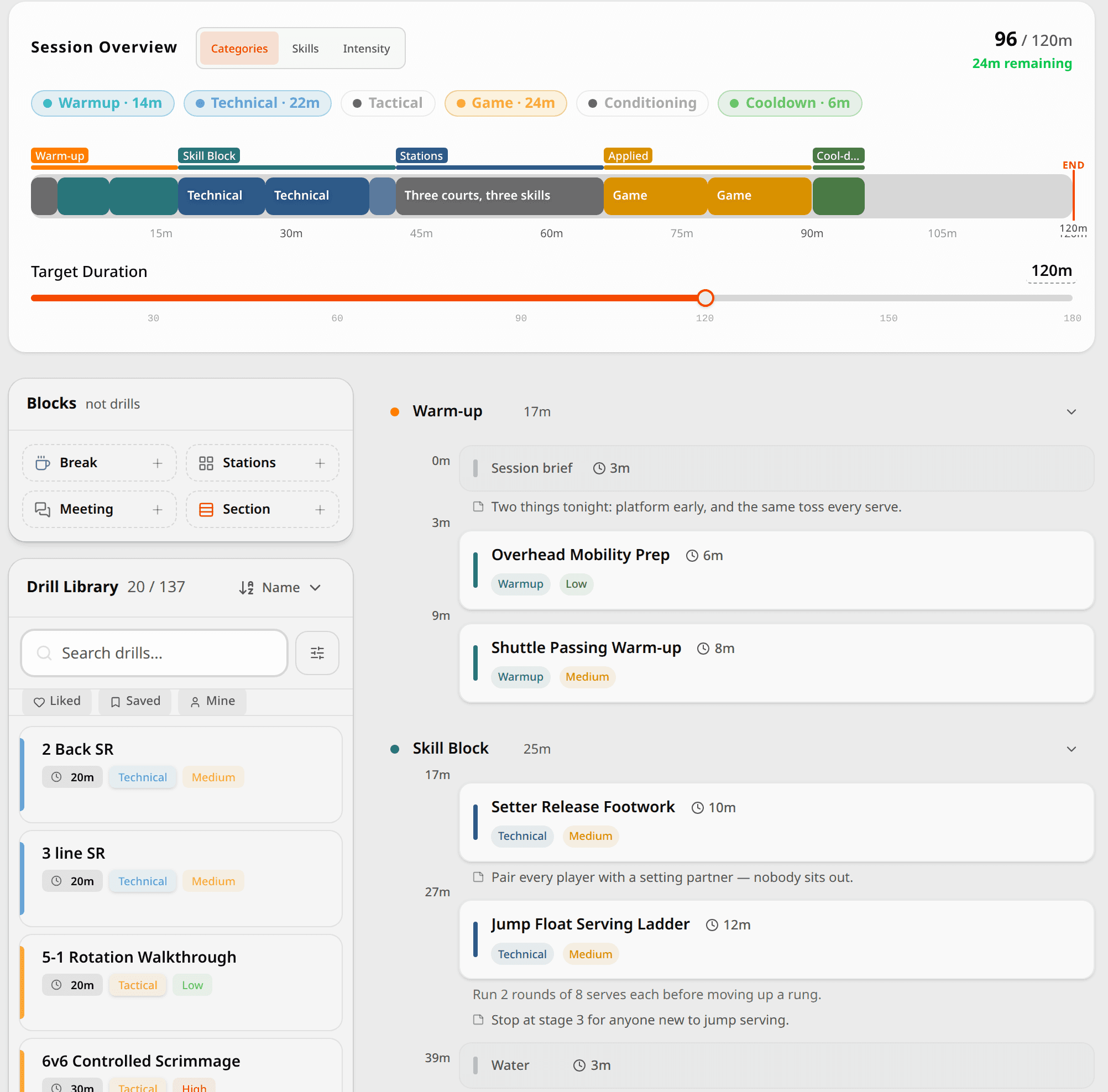
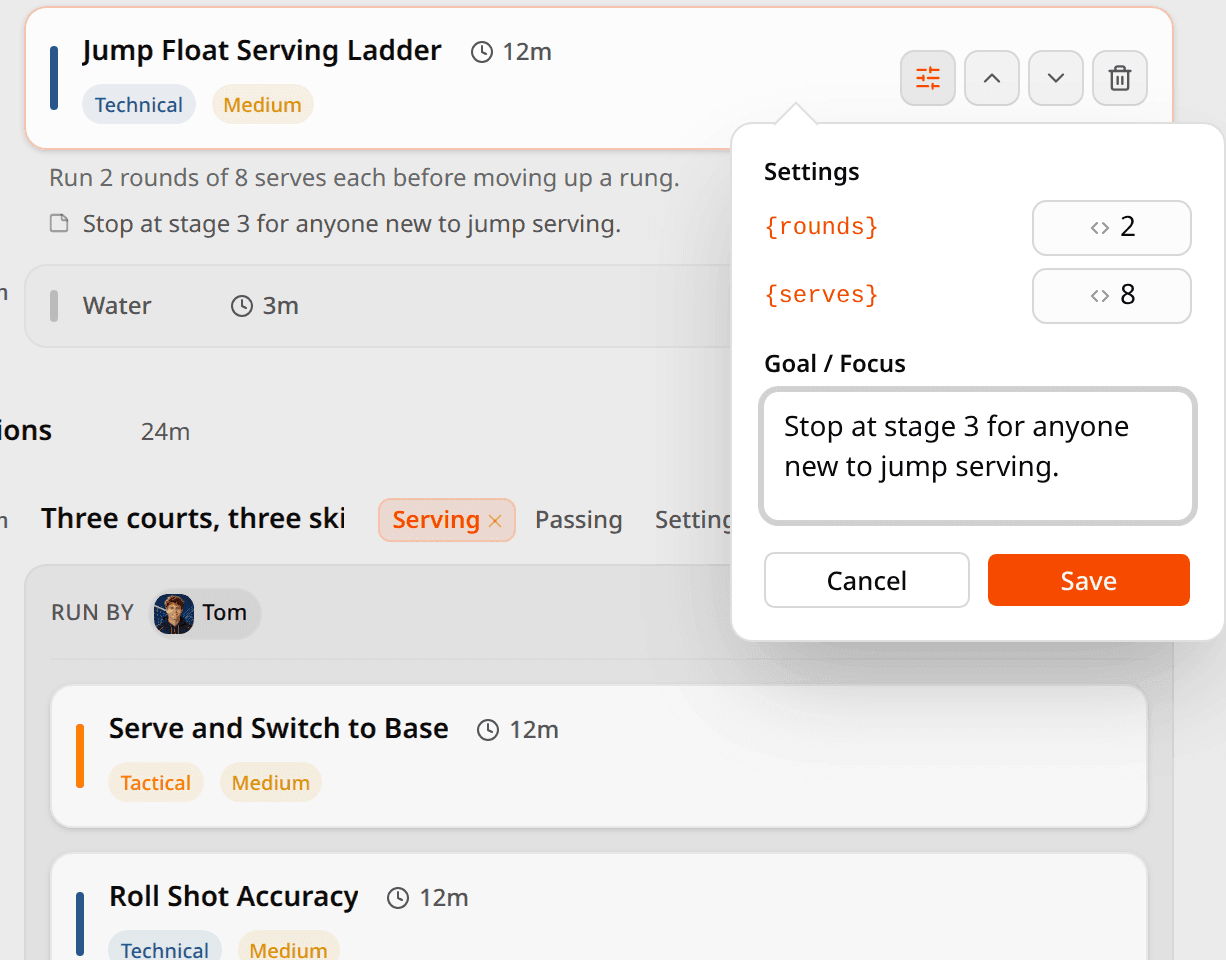
The overview bar is the session at a glance, coloured by category, skill or intensity. Set the target length and it says how much time is left, or by how much you have overrun. Drag the edge of a segment to resize a drill; it snaps to the end of a station group so the arithmetic stays honest. Every row takes a note — the thing you want to remember at 19:40 — and a drill with dials gets a settings button where this session answers them.
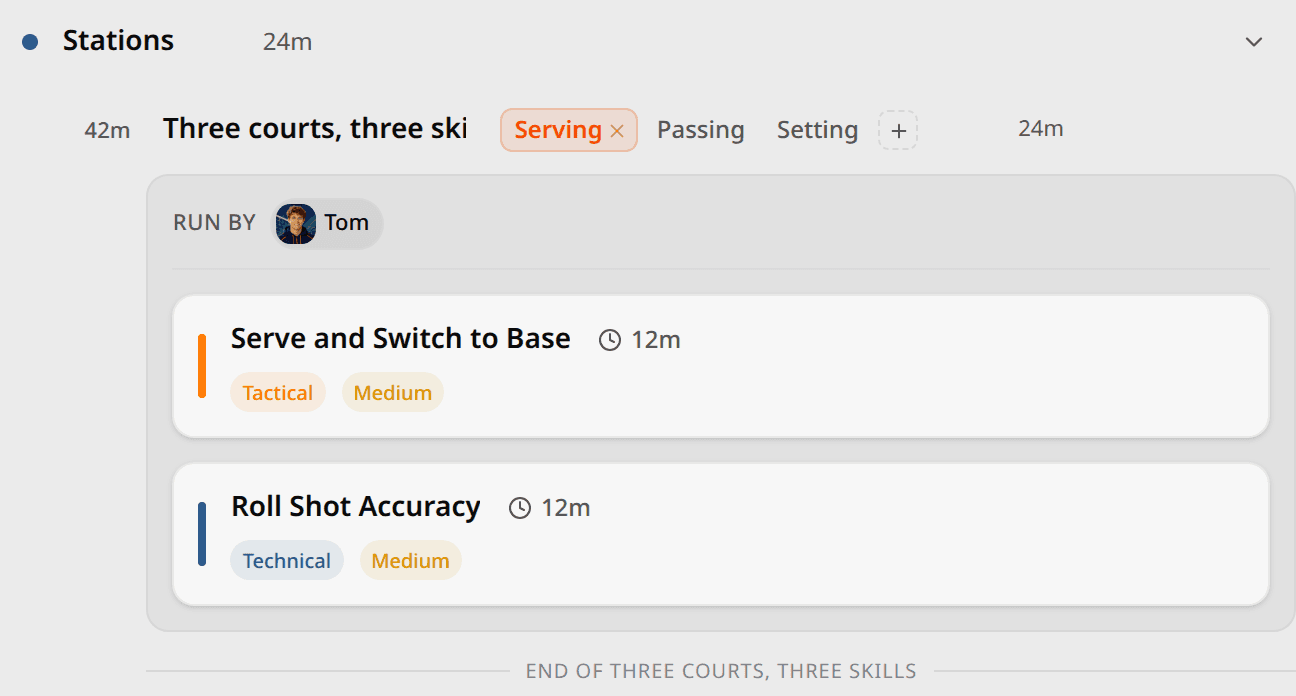
Stations
A Stations block runs groups side by side: Serving on one court, Passing on another, Setting on the third, each with its own drills. Set how long the stations run; a group whose drills add up to more stretches the block to fit, and groups can be different lengths. Run by names the coach on each group, with the lead coach as the default, so nobody stands on a court wondering whose it is.
Attach it to the session
Create the training event and pick the venue as you do — the floor plan needs it. The event’s Training Plan tab holds one plan: load a template from your library, or build one right there. Coaches come from the people on the event; assign them to the plan and to station groups. The plan’s owner and the event’s admins can edit and run it. When a night goes well, Save as template sends the plan back to your library for next time.
Put it on the floor
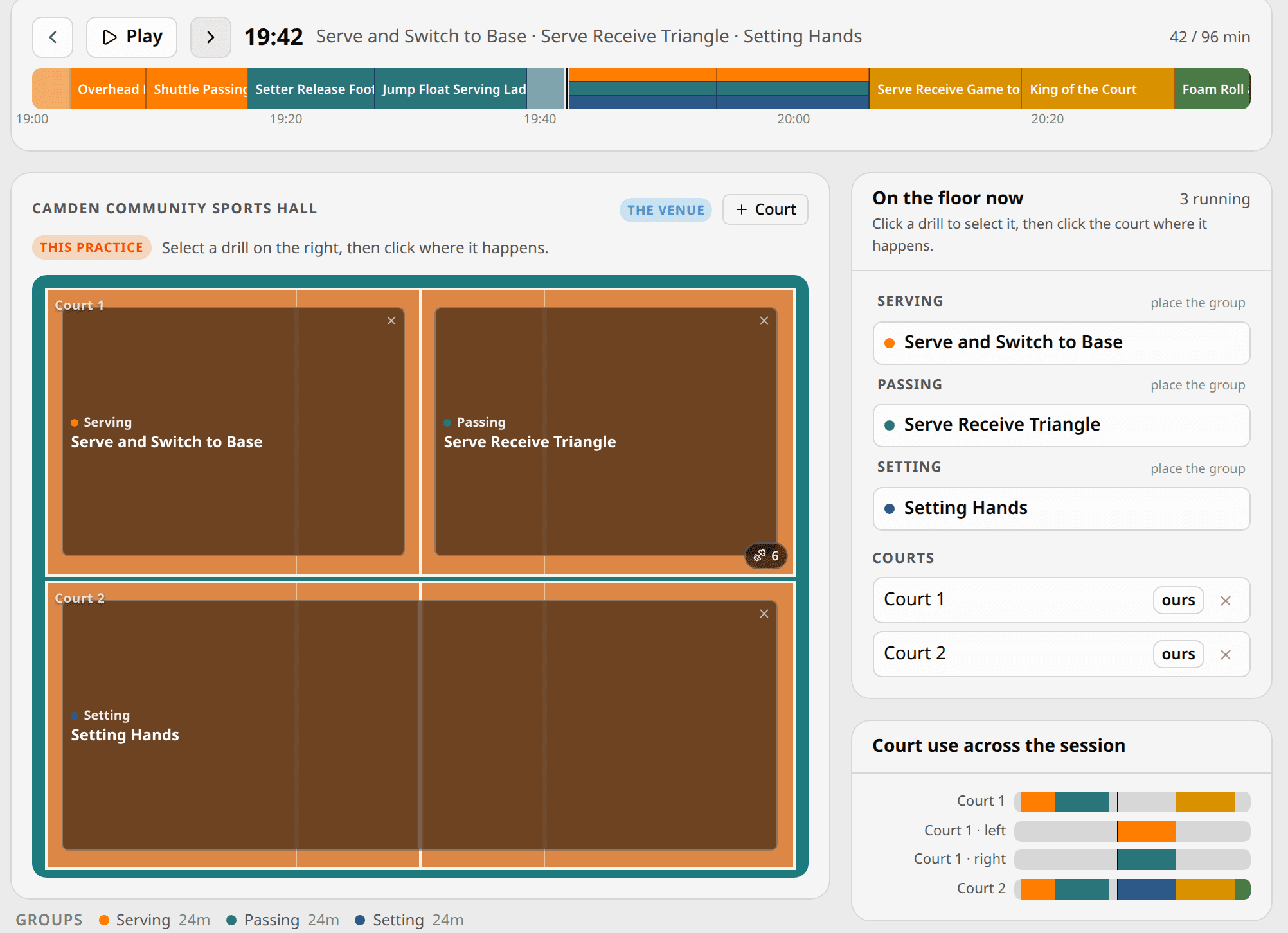
Open Floor plan. The courts come from the venue. Book the ones your session has — in a shared hall, mark the other club’s court as taken — split a court into halves or quarters, then pick a drill and click where it happens. Scrub through the session and the floor redraws: at 19:42 the three station groups are on their courts, and the panel says which group is where. It is the setup sheet for whoever arrives first.
Run it from your phone
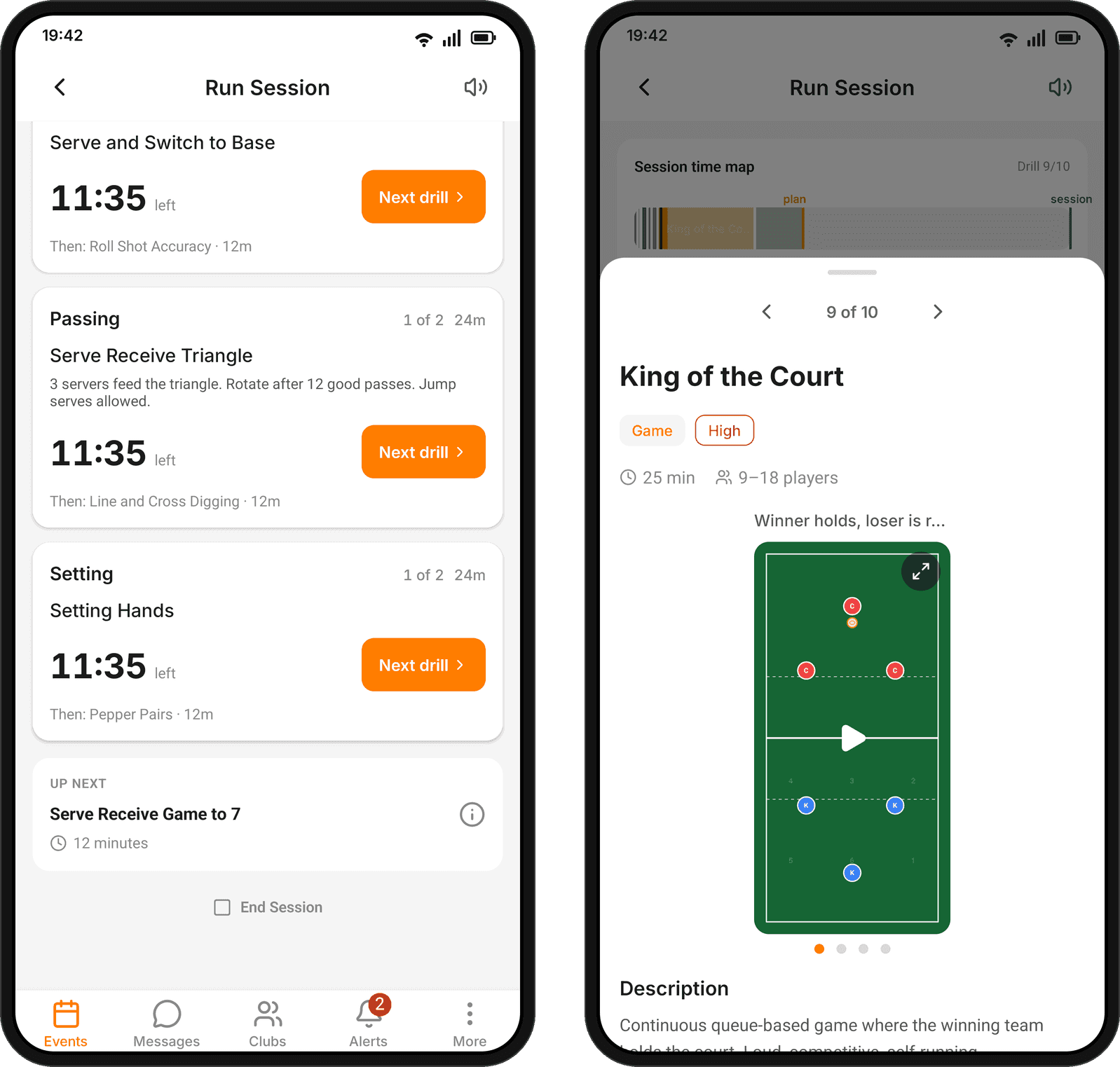
On the night, open the event on your phone. The plan is there with its sections, its notes and every drill’s first line already filled in for tonight — and one button: Run Session. The run screen shows the block you are in, the clock, what comes next, and the drill’s instructions with this session’s dials in place — 2 rounds of 8, not {rounds}. Next moves the session on; Pause holds it; when a block’s time is up, the phone buzzes. Above it all sits the time map: where you are in the plan, where the plan ends, where the hall booking ends, and whether you are ahead or behind.
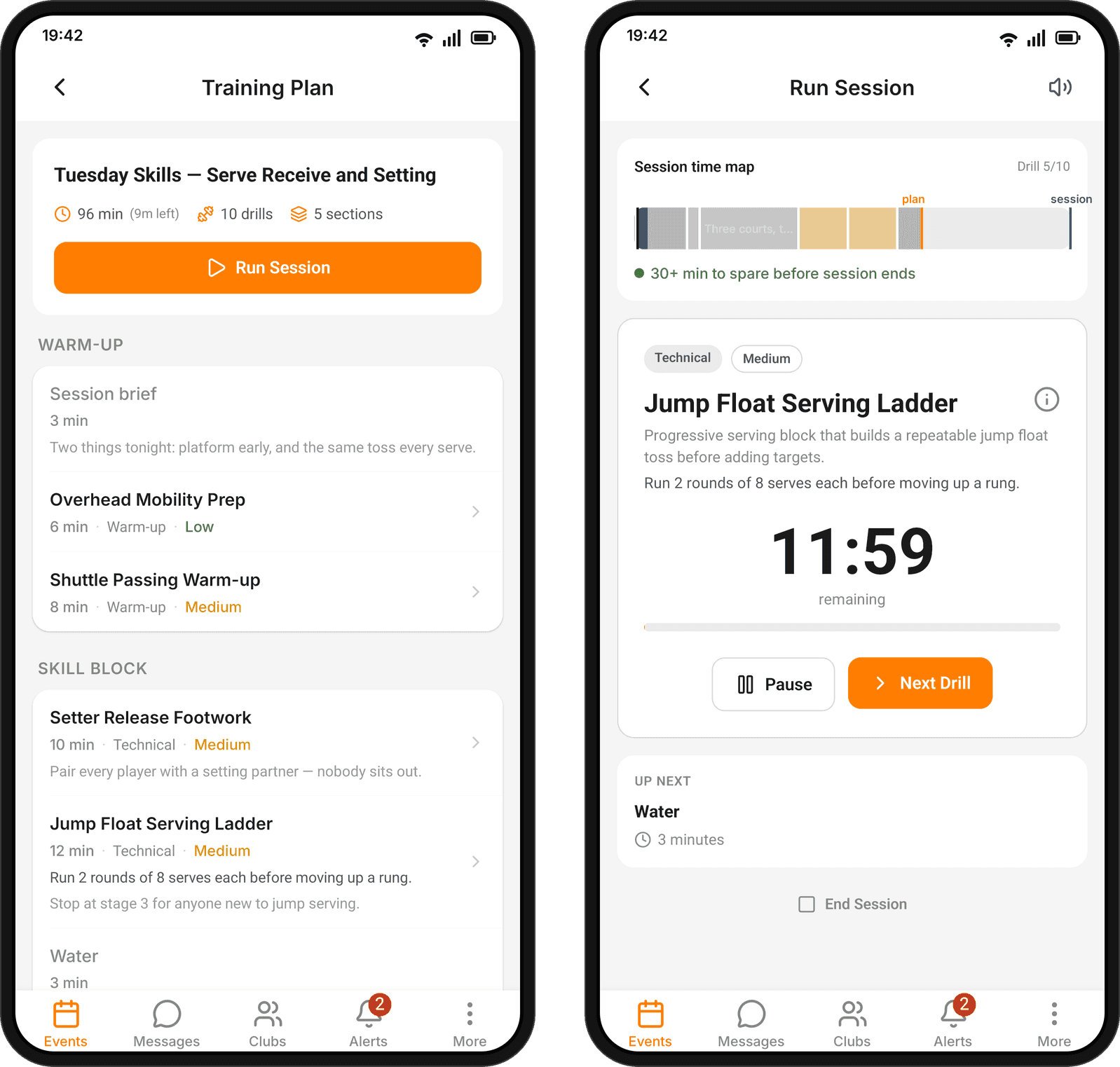
Stations get a card per group with its own drill, its own countdown and its own Next, so one coach paces every court from one screen — or each coach runs their own group. Every coach on the event sees the same run: start it on one phone and the others follow, and only the people who can edit the plan hold the controls. On Android the run stays in the notification shade while the phone is in your pocket. Tap a drill and the deck opens: the whole drill, swipeable through the session in order, with the animation playing right there on the court.
Run mode also lives on the web, for the laptop by the bench.
After the session
The plan stays with the event, and a good one goes back to the library as a template. What happened on the court — feedback to players and evaluations — is the next part of the story, and gets its own guide.
Spike is free for clubs. On the web, coaching lives under Coaching → Drills and Coaching → Training Plans; in the app, under Coaching. Run mode is on the phone.